Large JSON Files: Handle Them Without Freezing Your Browser
Large JSON files freeze browser tabs. You open a 50 MB export, paste it into a formatter, and the tab stops responding — the cursor stops blinking, clicks do nothing, and you close the tab before it recovers. A big JSON file breaks tools that work fine on small ones, because most JSON tools load the entire file into memory, parse it, format it, and render it — all on the browser’s main thread, all at once. This guide shows you how to handle large JSON files without that freeze, and every number in it comes from real runs: we generated three test files (1.25 MB, 10 MB, and 50 MB), parsed them in Node.js and Python, streamed them with ijson and jq, and validated them in the KingsTools validator on this site. The timings below are verbatim.
Quick Answer: What to Do by File Size
| File size | Do this | Why (measured) |
|---|---|---|
| Under 1 MB | Paste it into any browser formatter, including the KingsTools validator | Parses in ~34 ms in Node.js; validates instantly in the browser |
| 1–10 MB | Validate in the browser, but format only the section you need | 10 MB validated instantly in our test; pretty-printing grows the file by ~36% |
| 10–50 MB | Extract a slice with jq, or stream it with ijson | Parsing 50 MB takes 0.6 s in Node.js but uses 153 MB of heap; ijson streams the same file at a flat 12.5 MB |
| Over 50 MB | Do not open it in a browser. Stream it, split it, or load it into a database | Pretty-printing 50 MB in Python peaked at 710 MB of memory; a browser tab has far less headroom |
Tested: The Files, the Tools, the Machine
We generated three JSON files from the same product catalog (seed 42, so anyone can reproduce them): 4,000 records at 1.25 MB, 32,000 records at 10.01 MB, and 160,000 records at 50.15 MB. Each record has an id, name, description, category, price, stock flag, rating, review count, tags, dimensions, and warehouse. We ran them through Node.js v24 (JSON.parse and JSON.stringify), Python 3.12.3 (json.load and json.dumps), ijson 3.6.0, jq 1.7, and the KingsTools validator in a live browser. The machine is a Linux VM; your numbers will differ, but the pattern will not.
How Big Is “Large”? The Measured Cost of Parsing
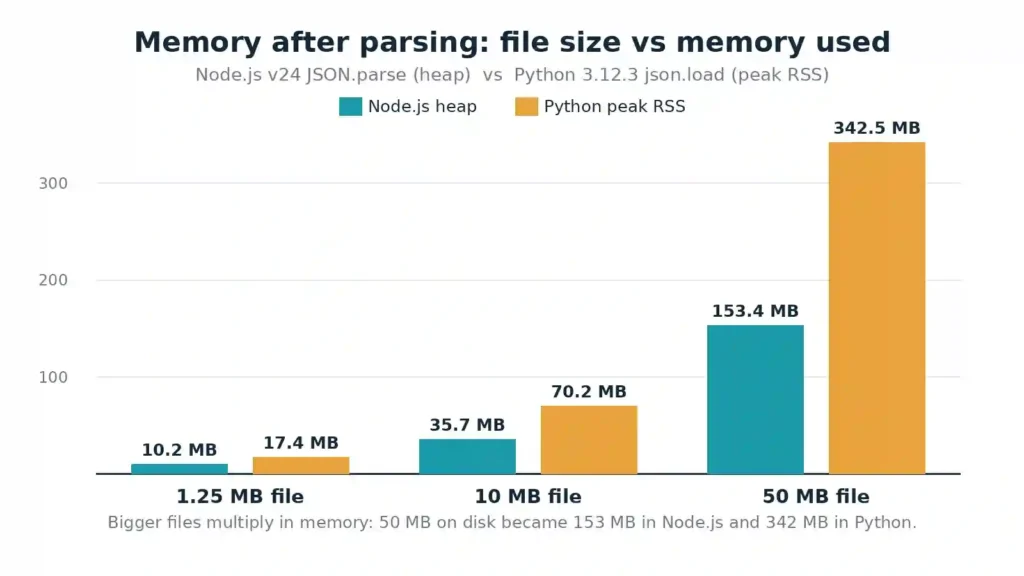
| File | Node.js parse | Node.js heap after parse | Python load | Python peak memory |
|---|---|---|---|---|
| 1.25 MB / 4,000 records | 33.6 ms | 10.2 MB | 48 ms | 17.4 MB |
| 10.01 MB / 32,000 records | 145.3 ms | 35.7 MB | 260 ms | 70.2 MB |
| 50.15 MB / 160,000 records | 627.1 ms | 153.4 MB | 1,497 ms | 342.5 MB |
Two findings matter. First, parsing itself is fast: even the 50 MB file parses in 0.6 seconds in Node.js and 1.5 seconds in Python. The freeze does not come from parsing alone. Second, memory multiplies: the 50 MB file occupies 153 MB of heap in Node.js (3.1× the file size) and 342 MB in Python (6.8×). Every object, string, and number becomes a separate allocation with its own overhead, and the raw text stays in memory alongside the parsed tree. Push the heap far enough and Node.js gives up with a JavaScript heap out of memory error — and a browser tab has far less headroom than a Node.js process, which is why the same file that parses on the command line crashes in the browser.
Pretty-printing makes it worse. Formatting the 50 MB file with 2-space indentation took 707 ms in Node.js and 3,123 ms in Python — as long as parsing it again — and grew the text from 50.15 MB to 68.36 MB. Peak memory reached 221.7 MB of heap in Node.js and 710.3 MB in Python. That is the step that kills browser tabs: the string, the parsed tree, and the formatted output all exist at the same time, and then the tool renders the result on top.
Method 1: Validate It in the Browser First (Up to 10 MB)
Before you reach for the command line, check whether the file is even valid. A single syntax error near the end of a 50 MB file wastes every other step. We uploaded both smaller test files to the KingsTools validator using its Upload Data button and clicked Validate:
records-1mb.json  (1.25 MB, 4,000 records)   →  Valid JSON! ✅   (immediate, no freeze)
records-10mb.json (10.01 MB, 32,000 records) →  Valid JSON! ✅   (immediate, page stayed responsive)
Both files validated essentially instantly, and the page stayed fully responsive throughout. Formatting the 1 MB file also worked promptly, producing the same records pretty-printed with 2-space indentation. So the practical rule is simple: validate files up to 10 MB in the browser, and format only the section you need. Above 10 MB, slice or stream first — do not paste the whole file into a formatter and hope.
If validation fails, the validator reports the exact position of the break, which tells you whether the file is corrupt or merely large. A download that stops halfway is the usual cause of a JSON file that is too big to open at all — the file simply ends mid-object. Our guide to the unexpected end of JSON input shows what that truncation looks like and how to confirm it. Our 10 Common JSON Errors guide covers the failures you will meet most often, and our repair broken JSON guide walks through fixing them.
Method 2: Extract the Slice You Need With jq
Most of the time you do not need the whole file — you need one record, one section, or one field. jq extracts it without opening the file in an editor. We ran these on the 50 MB file (jq 1.7):
jq -c '.[0:100]' records-50mb.json > slice-100.json
# 1.8 s — first 100 records, 32,565 bytes

jq 'length' records-50mb.json
# 1.7 s — 160000

jq --stream -n 'reduce inputs as $i (0; .+1)' records-50mb.json
# 2.6 s — 2720001 (total stream events)
One honest caveat: jq -c '.[0:100]' still reads and parses the entire file — it just gives you a small output. It took 1.8 seconds on the 50 MB file, which beats opening the file in an editor, but it is not streaming. The --stream mode is the real streaming option: it processes the file event by event instead of building the whole tree, which is why it counted 2,720,001 stream events in 2.6 seconds without loading the document.
If you prefer a query language to jq filters, JSONPath pulls the same slice out of a nested document — our JSONPath tutorial runs seven practical examples, including a price filter that returns full records instead of one field.
Use jq when you want to inspect, filter, or count. Use it to answer “how many records are in this file?” (jq length) or “show me the first 100” before you decide on a heavier approach. Our JSON validation in CI/CD guide shows jq in automated pipelines as well.
Method 3: Stream It With ijson (Python)
When you need to process every record — sum a column, filter rows, load them into a database — loading the whole file defeats the purpose. A streaming parser reads one record at a time and discards it, so memory stays flat no matter how large the file grows. We ran ijson 3.6.0 over both larger files, counting records and summing the price field:
ijson records-10mb.json | records 32000 | sum of prices 8078218.59 | time 252 ms | peak RSS 12.5 MB
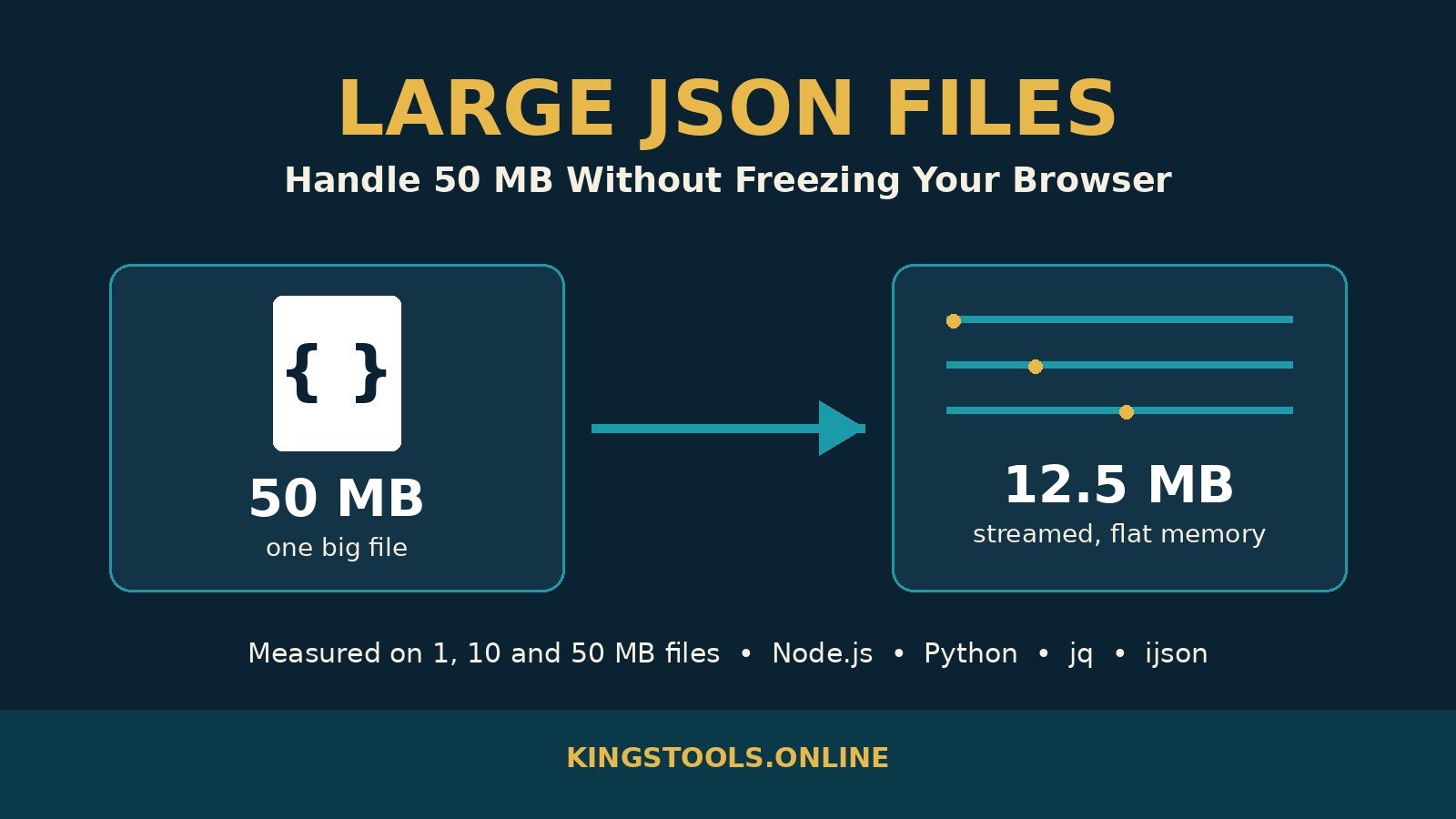
ijson records-50mb.json | records 160000 | sum of prices 40335130.43 | time 1140 ms | peak RSS 12.5 MB
Compare that with json.load on the same 50 MB file: 1,497 ms and 342.5 MB of peak memory. The streaming run took 1,140 ms and held 12.5 MB — the same 12.5 MB for the 10 MB file and the 50 MB file. Memory does not grow with the file; it stays flat. That is the whole advantage, and it is the correct tool when the file exceeds what your machine can comfortably hold.
import ijson

with open("records-50mb.json", "rb") as fh:
    for item in ijson.items(fh, "item"):
        process(item)  # one record at a time; memory stays flat
One gotcha we hit while testing: ijson returns numbers as Decimal, not float, so total += item["price"] raises TypeError until you convert with float(item["price"]). Convert the numbers you do maths on, and leave the rest as they are.
Method 4: Split the File Into Chunks
When a tool insists on small inputs — a browser formatter, an API with a size limit, a spreadsheet import — split the file first and process one chunk at a time. We split the 50 MB file into five chunks of 10,000 records with jq:
for i in 0 1 2 3 4; do
  jq -c ".[$((i*10000)):$(((i+1)*10000))]" records-50mb.json > chunk-$i.json
done
# 7.1 s total — five files of ~3.28 MB each
Each chunk is an ordinary JSON array of 10,000 records, small enough for any browser tool. The honest caveat is the same as with slicing: each jq call re-reads the whole 50 MB file, so five chunks cost five full reads (7.1 seconds total). If you split files often, a streaming splitter in Python pays for itself — but for a one-off job, jq is fast enough. Validate each chunk before you load it, and check its structure against a schema when the data matters — our JSON Schema vs OpenAPI Schema guide shows which validator fits.
If you need to query the file repeatedly instead of once, stop splitting and load it into a database — let the database do the work. Our guide to loading JSON into SQL covers the same kind of payload in PostgreSQL and MySQL, and our JSON vs JSONB comparison shows which PostgreSQL type to store it in.
Method 5: Convert to NDJSON When You Control the Format
If you generate the data yourself, store it as NDJSON (newline-delimited JSON) instead of one giant array: one JSON object per line, no wrapping array, no trailing comma problem. Each line parses independently, so you can read, validate, and process a 500 MB file line by line with constant memory, and a corrupt line breaks only itself instead of the whole document. Our Python JSON guide includes a tested NDJSON log validator that checks 10 lines, reports the exact bad ones, and exits with the right status code. If the data comes from someone else, convert once with jq (jq -c '.[]' records.json > records.ndjson) and keep the NDJSON copy as your working file.
What NOT to Do With a Large JSON File
| Mistake | What happens | Do instead |
|---|---|---|
| Pretty-print the whole file in the browser | Formatting 50 MB took 707 ms in Node.js and 3,123 ms in Python, grew the text to 68 MB, and peaked at 710 MB of memory | Format a slice, or format on the command line |
| Open it in a text editor and scroll | The editor renders and syntax-highlights millions of lines; typing lags by seconds | Query it with jq instead of reading it |
| Parse it twice (validate, then process) | You pay the parse cost and the memory cost twice for no reason | Parse once, keep the result, and reuse it |
| Paste production data into a server-side tool | Your data leaves your machine and sits on someone else’s server | Use a client-side validator or the command line |
| Send the whole file when you only need part of it | You pay the transfer, parse, and memory cost for data nobody reads | Ask the API for a page, a filter, or a projection instead |
Two more habits help at any size. Compress the file for transfer: JSON is repetitive text, and our minify guide measured real gzip and Brotli savings on a product catalog, so minify before you send and gzip on the wire. And when a large file arrives from an API, ask for less of it — pagination, filtering, and field selection beat every parsing trick, because the cheapest megabyte is the one you never download.
Frequently Asked Questions
How large can a JSON file be before the browser freezes?
There is no single JSON file size limit — it depends on the machine, the browser, and what the tool does after parsing. In our tests, a 10 MB file validated instantly in the KingsTools validator with the page fully responsive. The danger starts when a tool pretty-prints and renders the whole document: formatting our 50 MB test file grew it to 68 MB and peaked at 710 MB of memory in Python. As a rule, validate up to 10 MB in the browser, slice or stream above that.
Why does JSON.parse freeze the tab but run fast in Node.js?
Parsing itself is fast — our 50 MB file parsed in 0.6 seconds in Node.js. The browser freezes because parsing runs on the main thread, and the same thread must also render the page, handle clicks, and paint frames. While JSON.parse runs, nothing else can. The fix is to move parsing off the main thread (a Web Worker) or to avoid parsing the whole file at all (streaming).
What is the fastest way to read a large JSON file in Python?
For a whole-file read, json.load is fine up to about 10 MB. Above that, stream it with ijson: it processed our 50 MB file in 1.1 seconds at a flat 12.5 MB of memory, against 1.5 seconds and 342.5 MB for json.load. Remember that ijson returns numbers as Decimal, so convert with float() before doing maths.
Can jq handle a 50 MB JSON file?
Yes. jq length counted our 160,000 records in 1.7 seconds, and jq -c '.[0:100]' extracted the first 100 records in 1.8 seconds. Note that plain jq still reads the whole file into memory; only jq --stream processes it incrementally. Use jq for inspecting and slicing, and a streaming parser for processing every record.
Should I split a large JSON file or stream it?
Split it when another tool needs small inputs — a browser formatter, an API limit, a spreadsheet import. Stream it when you need to process every record once — totals, filters, database loads. Splitting with jq cost 7.1 seconds for five chunks of our 50 MB file because each call re-read the whole file; streaming with ijson did the full pass in 1.1 seconds at flat memory.
Is NDJSON better than JSON for large files?
For files you generate and process line by line, yes. Each line is independent JSON, so a corrupt line breaks only itself, and you never hold the whole document in memory. Convert once with jq -c '.[]' file.json > file.ndjson and work with the NDJSON copy.
What if the JSON file is too large for ChatGPT or another AI tool?
AI tools cap input by tokens, not megabytes, so a file that fits on disk can still exceed the limit. Count the tokens first — our JSON token counter measured real token counts on pretty, minified, and flattened JSON — then send only the slice the model needs, or minify the file before you paste it. Minifying cut a documented product catalog by 35.6% in our tests, and fewer characters means fewer tokens.
Summary
Big JSON files freeze tabs because parsing, formatting, and rendering all happen at once on the main thread — not because parsing itself is slow. We measured it: a 50 MB file parses in 0.6 seconds in Node.js and 1.5 seconds in Python, but pretty-printing it grows the text to 68 MB and peaks at 710 MB of memory. Validate files up to 10 MB in the browser (we confirmed the KingsTools validator handles 10 MB instantly), extract the slice you need with jq, stream the whole file with ijson when you must touch every record, and split it into chunks when another tool demands small inputs. The file size decides the tool — and the numbers above tell you exactly where each boundary sits.