Can Broken JSON Be Repaired Automatically? What Tools Can Fix
Yes, but automatic JSON repair is fundamentally heuristic. A repair tool can often infer an obvious missing comma or remove a trailing comma, but it cannot reliably reconstruct data when the original structure is ambiguous.
A malformed JSON payload usually fails for a simple reason: the parser reached a token that cannot occur at that position. When this happens, developers often seek tools to automatically fix the file. However, there is a critical difference between making a file parse successfully and recovering the intended data.
This guide explains how JSON repair tools operate, which syntax errors can be safely corrected, when automatic repair becomes dangerous, and why parsing success does not guarantee data integrity.
JSON Validation vs JSON Repair
Before attempting to fix a payload, it is important to understand the specific role of the tools in the JSON ecosystem. They are often conflated, but they perform strictly different operations:
- JSON Validator: Checks whether the input strictly conforms to the RFC 8259 JSON syntax. It detects errors and reports them. It does not modify the data.
- JSON Formatter: Takes valid JSON and adjusts indentation, line breaks, and whitespace to make it easier to read (presentation).
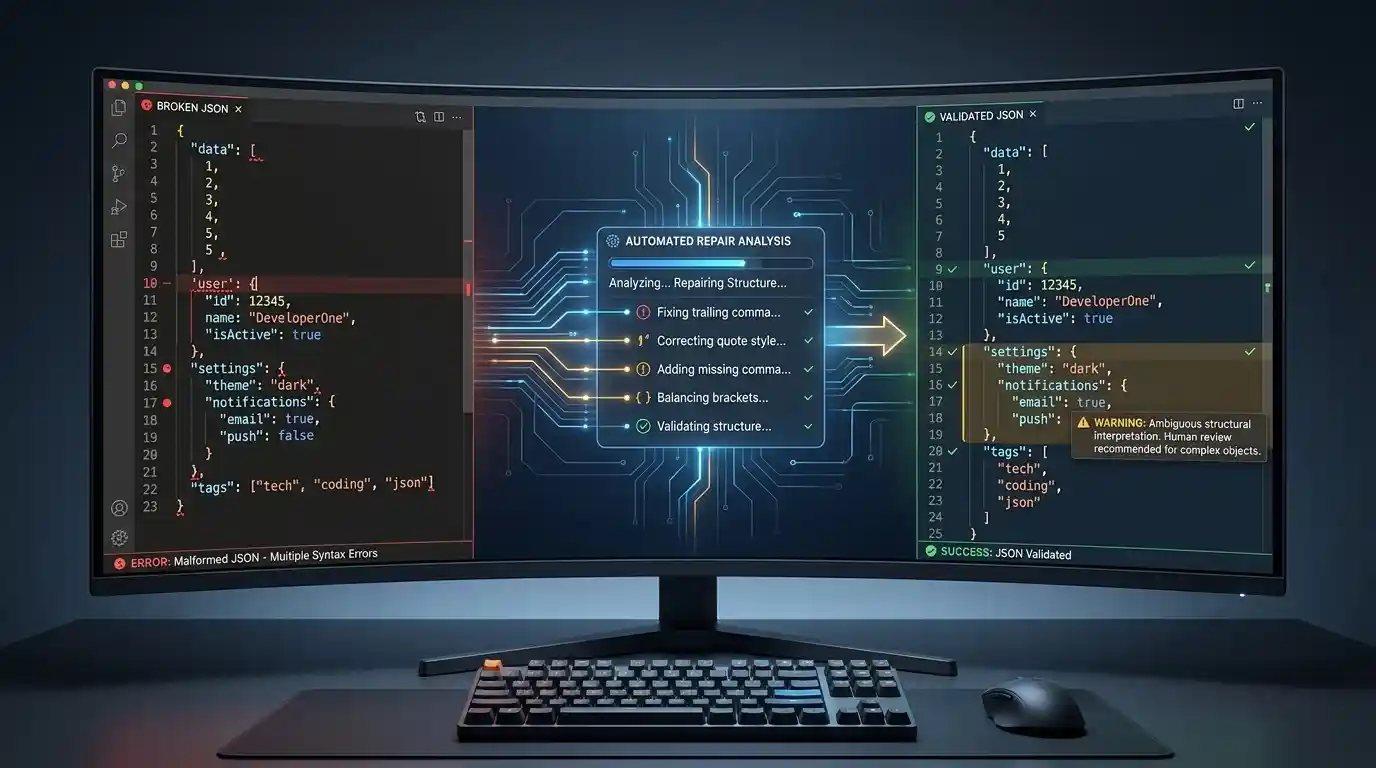
- JSON Repair Tool: Takes invalid input and attempts heuristic transformations to output valid JSON.
- JSON Schema Validator: Checks whether syntactically valid JSON conforms to a defined structural blueprint (e.g., ensuring an “age” property is an integer, not a string).
- JSON5 Parser: A parser designed to natively accept a broader syntax (like comments, single quotes, and unquoted keys) that standard JSON strict parsers reject.
What JSON Repair Tools Can Usually Fix
Strict JSON validators will throw fatal errors for the following formatting issues. However, because the developer’s intent is unambiguous, JSON repair tools can often transform these into valid standard JSON automatically. (Note that many of these are natively valid in JSON5, but invalid in strict JSON).
Trailing Commas
A comma preceding a closing bracket or brace violates strict JSON syntax.
{
  "host": "localhost",
}
Repair behavior: The tool typically drops the trailing comma.
Missing Commas
Omitting the comma between key-value pairs or array elements.
{
  "host": "localhost"
  "port": 8080
}
Repair behavior: The tool detects adjacent string/value tokens and typically inserts the required delimiter.
Single Quotes
Using JavaScript-style single quotes instead of mandatory double quotes.
{
  'status': 'active'
}
Repair behavior: Typically swaps single quotes for standard double quotes.
Unquoted Keys
Leaving object keys as bare identifiers.
{
  message: "success"
}
Repair behavior: Often wraps the identifier in double quotes to satisfy the parser.
What Automatic Repair Cannot Reliably Determine
When syntax becomes ambiguous, repair tools must guess. If a tool guesses incorrectly, it permanently corrupts the data structure.
Unescaped Quotes
If a string contains unescaped double quotes, the parser cannot determine where the string actually ends.
{
  "error": "Server returned "500 Internal Error" yesterday"
}
Repair behavior: Attempting to escape these automatically is dangerous. The tool cannot definitively know if the internal quote is literal data or a misplaced structural boundary.
Missing Nested Brackets
If a payload is truncated, a repair tool might append closing delimiters to force a successful parse. However, making text parse successfully does not prove the repaired JSON is correct.
{
  "users": [
    {
      "name": "John"
If a tool simply appends }]} to the end of a file to satisfy the parser, it forces all remaining data into the currently open scope. If brackets were missing in the middle of the document, the entire structural hierarchy is now wrong.
Truncated Strings
If a string is cut off mid-sentence ("description": "The user requested), appending a closing quote and brace will make it parse, but the actual data is irrevocably lost.
Valid JSON Does Not Always Mean Correct Data
Even if a file passes strict syntax validation or is successfully repaired, it may still be completely unsafe for application use. Syntax validity, structural validity, and semantic validity are three different things.
Duplicate Keys
RFC 8259 states that object names SHOULD be unique. While duplicate keys may parse successfully, they create severe interoperability risks.
{
  "timeout": 1000,
  "timeout": 5000
}
Different parsers handle this differently—some keep the first value, some keep the last, and some throw errors. A repair tool cannot know which timeout value the developer actually intended to keep.
Schema Violations
A payload can be perfectly valid JSON but fail your application’s expectations.
{
  "price": "100",
  "currency": "USD"
}
If your database expects price to be an integer (100), the string "100" is structurally invalid (a JSON Schema violation), even though the syntax is flawless.
Semantic Errors
JSON syntax has no concept of real-world logic.
{
  "price": -5000
}
This is perfectly valid JSON, but a negative price is semantically invalid for an e-commerce application. Neither a JSON validator nor a repair tool will flag this; only application-level logic can catch it.
Why Automatic JSON Repair Can Be Dangerous
Strict parsers such as JavaScript’s JSON.parse() are designed to parse JSON syntax rather than guess how malformed input should be rewritten. When the input does not conform to the expected grammar, the application must handle the resulting parse failure.
Consider this real-world example of a financial payload:
{
  "amount": 1000,
  "currency": "USD"
}
If a network error truncates the payload to {"amount": 100, an automatic repair tool might blindly append a closing brace (}) to force a successful parse. The resulting output—{"amount": 100}—is perfectly valid JSON. However, it silently alters the application’s data, changing the transaction from $1,000 to $100 without throwing an error.
In production systems, silently processing mutated financial data, configuration timeouts, or routing rules is vastly more dangerous than throwing a loud SyntaxError and halting deployment.
JSON vs JSON5 vs NDJSON
Often, data that appears to be “broken JSON” is actually valid data written in a different format specification.
- JSON: The strict, standard interchange format (RFC 8259).
- JSON5: An extension to JSON that intentionally supports unquoted keys, single quotes, comments, and trailing commas to make hand-writing configurations easier.
- NDJSON (Newline Delimited JSON): A stream of discrete JSON objects separated by newline characters.
An NDJSON stream looks like this:
{"log": "start"}
{"log": "process"}
If you paste this into a standard strict JSON validator, it will throw an error when it hits the second object. It is not “broken JSON” that needs repair; it is simply a different format. A JSON validator expects exactly one root object or array, whereas an NDJSON parser processes line-by-line.
Common JSON Repair Cases Tested
If you use a heuristic repair tool, here is a practical framework of what to expect:
| Broken Input Problem | Typical Repair Tool Behavior | Risk Level |
|---|---|---|
| Trailing comma | Usually repairable (removes it) | Low |
| Missing comma | Often repairable (inserts it) | Medium |
| Single quotes | Usually repairable (converts to double) | Low |
| Unquoted keys | Often repairable (adds quotes) | Medium |
| Missing final brace | Sometimes repairable (appends to end) | Medium / High |
| Missing nested brace | Heuristic / Unreliable (guesses closure) | High |
| Unescaped quote | Requires manual correction | High |
| Truncated string | Unreliable (closes quote blindly) | High |
| Duplicate keys | Not a syntax repair problem (silent overwrite) | High |
| NDJSON input | Format issue (context-dependent) | Medium |
Before You Repair Broken JSON
To avoid silent data corruption, follow this progression when handling a malformed payload:
- Keep the original payload: Never overwrite or discard your raw data before running automated tools.
- Identify the format: Check if it is actually JSON, JSON5, or NDJSON before assuming it is strictly broken.
- Run a strict JSON validator: Find the exact line and character causing the failure.
- Apply only unambiguous repairs: Let tools fix clear mistakes (like trailing commas), but manually inspect structural breaks.
- Validate the repaired result again: Ensure the modified payload parses strictly without errors.
- Check the repaired data against your schema: Verify no required properties were dropped or altered during repair.
Authoritative Technical References
For further reading on the exact specifications defining valid JSON and its variants, consult these standards:
- RFC 8259: The JavaScript Object Notation (JSON) Data Interchange Format – The official strict specification for JSON.
- JSON5: The JSON5 Data Interchange Format – The specification detailing allowed extensions like unquoted keys and trailing commas.
- NDJSON: Newline Delimited JSON – The standard for streaming multiple discrete JSON objects.
Can Broken JSON Be Repaired Automatically?
In conclusion, yes—but only up to a point. Automatic repair tools are excellent at resolving simple, unambiguous syntax errors (like single quotes and trailing commas) that bridge the gap between JSON5 and strict JSON. However, when faced with ambiguous structural breaks like missing nested brackets, truncated payloads, or unescaped quotes, you must intervene manually. Remember: parsing success and data recovery are not the same thing.
FAQ
Can malformed JSON be fixed automatically?
Sometimes. Simple, unambiguous syntax errors can often be repaired heuristically, while ambiguous structural errors require manual correction.
Can a JSON validator fix errors?
A strict validator normally identifies invalid JSON rather than modifying it. Repair tools and formatters handle data modification.
Can JSON repair tools fix missing brackets?
They can sometimes infer missing closing delimiters, especially at the end of a truncated document, but the resulting structure should always be manually reviewed.
Can JSON repair change data?
Yes. Any repair based on inference can potentially alter the intended structure, drop nested objects into the wrong scope, or modify values.
Is JSON5 the same as JSON?
No. JSON5 intentionally supports syntax such as unquoted keys, single-quoted strings, comments, and trailing commas that strict standard JSON (RFC 8259) does not.
Try the Kingstools JSON Formatter and Validator
If you have a malformed payload, you can test it with the Kingstools JSON Formatter and Validator. Use the validator first to identify the exact line of the syntax error, then apply the correction manually or let the formatter clean up safe structural whitespace, and validate the resulting document again to ensure it is structurally sound.