
Malformed JSON: How to Find and Fix Broken JSON Fast
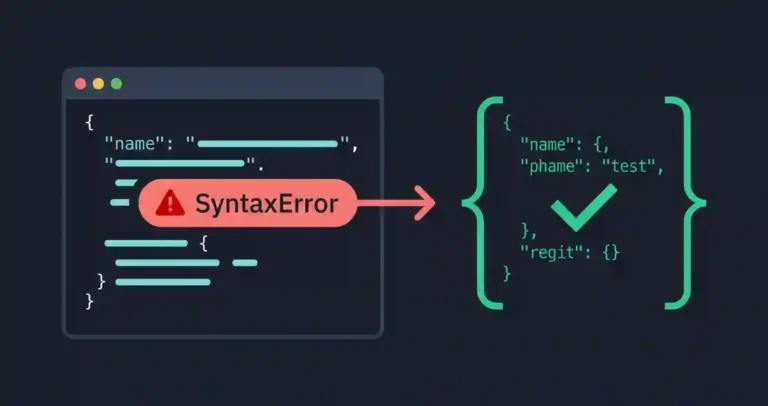
Few things kill momentum faster than a raw SyntaxError thrown by a strict JSON parser. JSON was designed to be lightweight, but its syntax rules are famously unforgiving. Leave a single comma dangling, swap double quotes for single quotes, or drop an unquoted key, and your application, config file, or deployment pipeline grinds to a halt.
If you are staring down a cryptic error stack trace and trying to figure out what broke your payload, this guide covers the most common culprits and how to clean them up fast.
Quick Diagnostic Reference Table
If your parser is rejecting an incoming payload, use this reference table to match the error symptom to its fix:
| Syntax Error Symptom | Root Cause | Immediate Correction |
|---|---|---|
| Unexpected token } or , | Trailing comma at the end of an object or array property list | Remove the final comma after the last element |
| Unexpected token ‘ in JSON | Using single quotes instead of mandatory double quotes | Replace all single quotes with double quotes |
| Unexpected token a in JSON | Unquoted object keys or invalid unescaped literal values | Enforce double quotes around all property keys |
| Control character error / newline break | Unescaped literal line breaks or tabs embedded inside string values | Escape newlines as \n or use proper string serializers |
Why JSON Parsers Are So Strict
JSON inherits its strictness from the official specification (RFC 8259). Because it looks almost identical to JavaScript object literals, it is easy to accidentally slip into relaxed syntax habits—like adding trailing commas, writing inline comments, or omitting quotes—that vanilla JavaScript allows but standard parsers reject outright.
When a parser hits malformed syntax, it doesn’t try to guess your intent; it halts execution immediately. It usually spits out a character index or line number, which can be brutal to track down manually in large configuration files or unformatted database dumps.
The 5 Most Common Malformed JSON Triggers
1. Trailing Commas
Leaving a comma after the final item in an object or array is hands down the most frequent syntax mistake:
{
  "server": "api.kingstools.online",
  "timeout": 5000,
  "retries": 3,
}
The comma after 3 violates the spec because no subsequent key-value pair follows it.
2. Single Quotes and Unquoted Keys
JSON strings and property names must be enclosed in double quotes ("). Copying configuration snippets directly from JavaScript objects often introduces single quotes or unquoted keys:
{
  'environment': 'production',
  port: 8080
}
3. Embedded Comments
While developers love adding // or /* */ notes inside configuration files for documentation, standard JSON does not support comments. Parsers will flag the forward slash as an unexpected token.
4. Unescaped Special Characters
Control characters, literal line breaks, or tabs embedded directly inside string values without proper escape sequences (such as \n or \t) will break line-by-line parsers instantly.
5. Unsupported Data Types
Serializing raw JavaScript objects containing undefined, NaN, Infinity, or function declarations produces invalid JSON that external APIs or backend services cannot consume.
How to Track Down and Fix Errors Quickly
When you are looking at a massive, unformatted block of broken text, don’t waste time scanning line by line manually. Use this workflow:
- Check the Error Offset: If your console gives you an index like
position 142, use a text editor with character counting or a specialized viewer to jump straight to that character. - Run a Terminal Linter: If you’re working locally, pipe your file through
jqto see exactly where the parse breaks down:jq . config.json - Use an Online Parser: Paste the broken text into our free online JSON formatter and validator to instantly highlight syntax breaks, flag structural mismatches, and pretty-print the result.
Preventing Broken JSON in Your Workflow
The easiest malformed JSON to deal with is the kind that never gets committed in the first place:
- Never build JSON manually: Avoid string concatenation, template literals, or manual file edits when generating structured payloads. Always rely on native serialization methods like
JSON.stringify()in JavaScript orjson_encode()in PHP. - Set up your IDE: Configure your editor (like VS Code) to validate JSON on save using built-in language servers or formatters like Prettier.
- Add CI checks: Catch broken config files before they hit staging by dropping simple syntax validation scripts into your pull request pipelines.

One Comment