Fix ‘Unexpected End of JSON Input’: Causes, Diagnostics, and Solutions
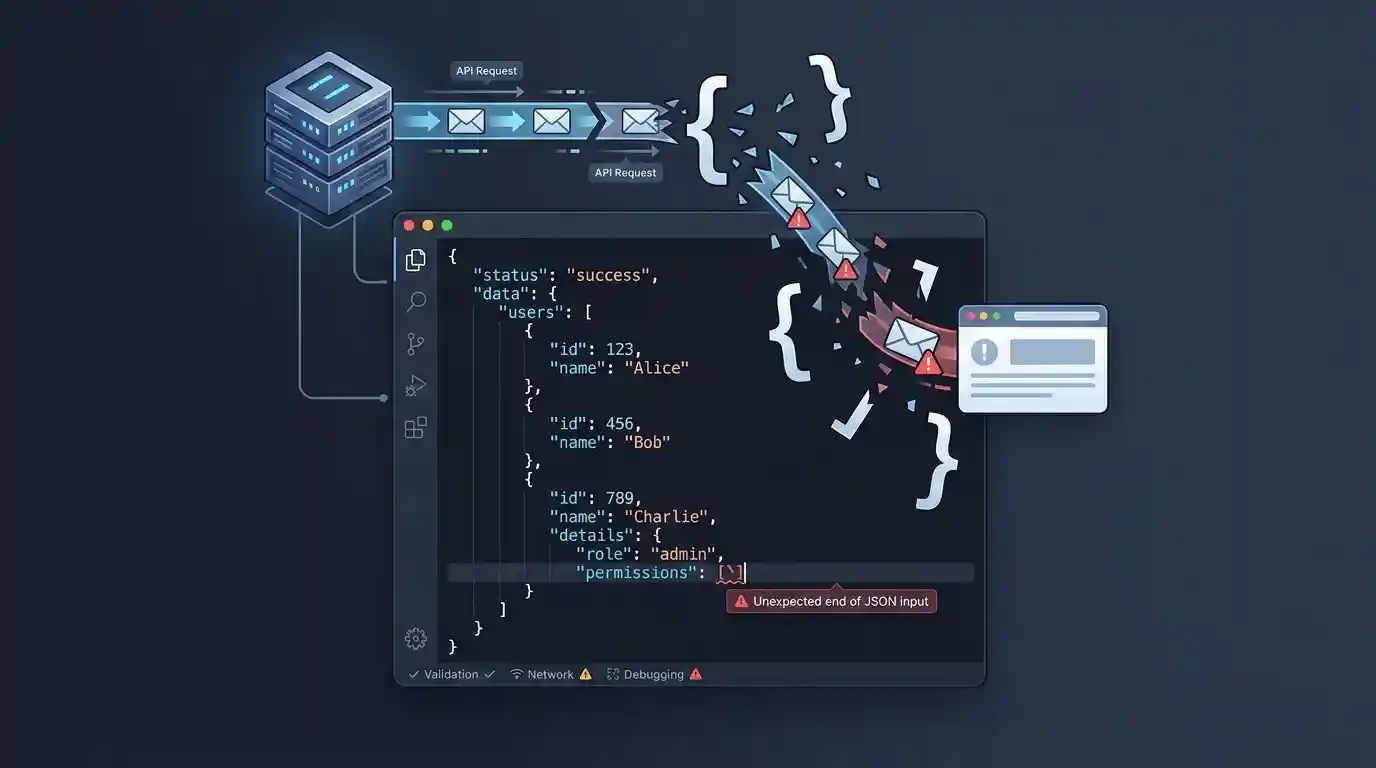
Few error messages frustrate frontend and backend developers quite like SyntaxError: Unexpected end of JSON input. This exception is thrown by parsers like JavaScript’s native JSON.parse() when they reach the end of a data stream or string while still expecting more tokens to complete a valid structure.
This diagnostic guide explores the exact network and application-level conditions that trigger this parsing failure, how to catch and isolate truncated payloads, and how to prevent it in production applications.
Quick Diagnostic Reference Table
If your application is logging unexpected end of input errors, use this reference table to isolate the underlying cause:
| Parsing Context | Root Cause | Corrective Action |
|---|---|---|
| Empty response body | Server returned a 204 No Content or an empty 200 OK string | Check response status and body length before parsing |
| Truncated network stream | Server timeout, connection drop, or premature socket closure mid-payload | Inspect browser Network panel for incomplete responses and check server logs |
| Malformed backend serialization | PHP script crashed or dumped output mid-stream, leaving an open brace | Review backend error logs and exception handling |
| Unclosed brackets or braces | A hardcoded config file or database export missing a closing delimiter | Validate file structure using a strict parser |
1. The Anatomy of the Error
The JavaScript engine throws an Unexpected end of JSON input when the character pointer hits the absolute end of the input string, but the parser’s internal state machine is still inside an open object, array, or string literal. For example, attempting to parse an abruptly cut-off payload like this:
{
  "status": "success",
  "data": {
    "userId": 4021,
    "permissions": ["read", "write"
This snippet is structurally broken because it is missing both a closing square bracket (]) to close the array and a closing curly brace (}) to close the inner object. Because these delimiters are never reached, the parser runs out of characters while still expecting syntax tokens, triggering the exception immediately.
2. Why response.json() Can Also Fail
Many developers encounter this parsing error without ever explicitly writing JSON.parse() in their codebase. When working with the Fetch API, developers routinely use:
const data = await response.json();
Under the hood, the built-in response.json() method reads the response body text and automatically attempts to parse it as JSON. If the response body is empty, whitespace-only, or truncated due to a server error, response.json() throws the exact same Unexpected end of JSON input syntax error.
3. Handling Empty Strings and 204 Statuses
The most common application-level trigger occurs when a client expects a JSON payload from an endpoint that legitimately returns nothing—such as a resource deletion route responding with a 204 No Content status or an empty body.
Passing an empty string or whitespace-only string into a JSON parser throws the unexpected end of input error. To prevent this, always validate body presence before parsing:
async function parseApiResponse(response) {
    if (response.status === 204) {
        return null;
    }

    const text = await response.text();

    if (!text || text.trim() === '') {
        return null;
    }

    try {
        return JSON.parse(text);
    } catch (error) {
        throw new Error(`Failed to parse JSON. Raw body snippet: ${text.slice(0, 100)}`);
    }
}
4. Unexpected End vs. Unexpected Token <
It is important to distinguish Unexpected end of JSON input from another common parsing exception: SyntaxError: Unexpected token < in JSON at position 0.
These two errors point to completely different failure modes:
- Unexpected End of JSON Input: Indicates that the response started out looking like valid JSON (or was completely empty), but was cut off or truncated before all syntax structures could close.
- Unexpected Token <: Indicates that the server returned an HTML document instead of JSON—usually resulting from a reverse proxy error page, an unhandled server crash trace, or an authentication redirect pointing to a login screen starting with an
<html>tag.
5. Diagnosing Truncated Network Streams
When this error occurs intermittently on large payloads, it often points to an infrastructure-level cutoff rather than a code bug. Common culprits include:
- Reverse Proxy Timeouts: Nginx or AWS API Gateway terminating a slow backend response because it exceeded proxy read timeout thresholds.
- Memory Limits: A Node.js or PHP script crashing due to an out-of-memory error halfway through writing a large JSON response stream to the socket.
- Custom Stream Handling: Client-side aborts or custom request stream implementations that prematurely close consumption of the data stream, resulting in incomplete application-level data.
When debugging network-level truncation, avoid attempting direct string-length to byte-length comparisons against Content-Length headers (since headers represent byte counts while JavaScript strings measure UTF-16 code units). Instead, inspect the browser’s Network panel for incomplete responses, and cross-reference server-side logs with the received payload snippet.
6. How to Debug the Error in Chrome DevTools
When tracking down persistent parsing crashes in your application, use this debugging workflow:
- Open DevTools Network Panel: Reproduce the action and click the failing network request. Inspect the Response or Preview tab to see what text actually arrived in the browser.
- Check the End of the Payload: Scroll to the very bottom of the response. If the text cuts off mid-sentence or lacks closing brackets, the issue is server-side truncation.
- Log Raw Text Before Parsing: In your fetch wrapper, capture
response.text()into a variable and log it before passing it to your parser so you can examine the exact malformed string state. - Validate Against a Lint Tool: Paste the failing payload into our free online JSON formatter and validator to instantly highlight syntax breaks and structural truncation points.
Preventing Truncated JSON in Production
Eliminating unexpected end of input errors across a production application requires hardening architectural contracts across your stack:
- Consistent API Contracts: Ensure all backend endpoints follow a predictable schema wrapper, guaranteeing that success, error, and empty states adhere to explicit structures rather than returning raw or empty text streams.
- Correct Content-Type Headers: Always serve JSON endpoints with explicit headers (`Content-Type: application/json; charset=utf-8`) to prevent client parsers from misinterpreting text streams.
- Centralized Response Parsing: Implement a unified network utility (such as a shared fetch wrapper) that safely checks response status codes, handles
204states, and inspects raw text before triggering parsing logic. - Robust Backend Exception Handling: Wrap backend route controllers in global error middleware to ensure that unhandled server exceptions catch gracefully and return structured JSON error objects rather than crashing mid-stream.
- Monitoring and Alerting: Track client-side parsing exceptions in your error monitoring tools (like Sentry) alongside server HTTP 5xx rates to catch infrastructure timeouts and socket drops immediately.
- Avoid Manual JSON Construction: Never build JSON strings manually using string concatenation or template literals in backend code. Always rely on native language serializers (such as
json_encode()orJSON.stringify()) to guarantee proper escaping and complete syntax generation.
Frequently Asked Questions
Why does JSON.parse() fail on an empty string?
An empty string contains zero tokens. Because a JSON parser expects a root-level value (such as an object {} or array []) to begin and complete parsing successfully, encountering an empty string immediately triggers an unexpected end of input error.
Is an empty response body always a bug?
Not necessarily. Endpoints designed to return a 204 No Content status or certain resource deletion confirmations intentionally send empty bodies. The bug occurs when client application code blindly attempts to parse those empty bodies as JSON without checking the HTTP status code first.
How can I check if a string is valid JSON before parsing?
While you can write a lightweight try/catch wrapper around JSON.parse(), you can also use specialized validation utilities to test complex payloads safely without throwing unhandled runtime exceptions.