
JSON Validator and Formatter
Stop Squinting at Broken JSON.
Format, validate, and debug your data instantly, securely, and entirely in your browser.
I developed Kings Tools because I was tired of pasting sensitive API data into slow, ad-filled formatting tools just to find a single missing bracket. I needed a lightweight, fully client-side validator that ran in the browser without requiring a server connection. Whether you’re fixing a webhook error or formatting an NDJSON log file, this tool pinpoints syntax errors with pinpoint accuracy in fractions of a second.
Kings Tools is a free online JSON formatter and validator. Paste your JSON in, and in a fraction of a second you’ll know whether it’s valid, exactly where it breaks if it isn’t, and you can beautify or minify it depending on what you need it for. No sign-up, no file upload, no software to install — it runs entirely in your browser.
Below, we’ll walk through how to use the tool, what actually makes JSON valid or invalid, how JSON validation compares across different environments (command line, code editors, and a few popular programming languages), and answer the most common questions we hear about JSON formatting and validation.
What This Tool Does
Our JSON formatter and validator online tool has three modes, and you can switch between them instantly:
Beautify (Format) — Takes minified, compressed, or just messily-indented JSON and reformats it into clean, properly indented, human-readable structure. This is the mode most people reach for when they’ve copied a JSON response from an API or a log file and need to actually read it.
Minify — The opposite operation. Strips out all unnecessary whitespace, line breaks, and indentation to produce the smallest possible JSON payload. Useful when you’re preparing JSON for production use, reducing file size for a config, or optimizing an API response.
Validate — Checks whether your JSON is syntactically correct according to the JSON specification, and if it isn’t, tells you the specific line and column where the parser broke. This is the mode that answers the question “is this JSON valid?” without you having to guess — essentially a JSON checker built directly into the page.
Because everything runs client-side in your browser, nothing you paste into the tool is ever uploaded to a server, logged, or stored anywhere. That matters if you’re working with sensitive API responses, internal config files, or anything you wouldn’t want passing through a third-party server — a genuinely free online JSON formatter and validator shouldn’t require you to trust anyone with your data. You can read the full detail in our Privacy Policy.
How to Use the JSON Formatter and Validator
Using the tool takes a few seconds:
- Paste or type your JSON into the input panel on the left
- Choose a mode — Beautify, Minify, or Validate — from the toggle above the panels
- The output appears instantly in the right-hand panel
- If your JSON is invalid, the status bar tells you exactly what’s wrong and where
- Use the Copy button to grab the formatted result, or Clear to start over
There’s no character limit gate, no forced account creation, and no waiting for a server round-trip — because there isn’t one. The formatting and validation logic runs directly in your browser’s JavaScript engine.
How JSON Validation Works
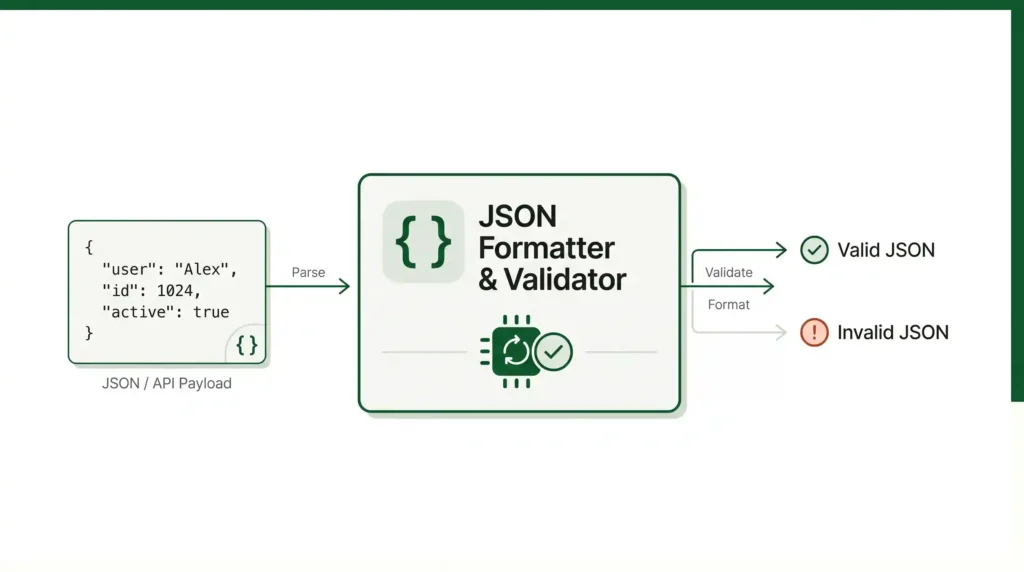
Common JSON Errors We Catch
Different back-end programming languages handle data structures in their own ways, and what seems perfectly fine in your local environment often breaks when passed to a strict JSON parser. Here’s how our validator handles the most common problems with each language.
Python: The Single-Quote Trap
Python developers often debug by printing dictionary objects directly to the console or log files. By default, Python’s str() representation uses single quotes. If you copy-paste that output into an API payload, it will fail strict JSON validation.
What breaks:
JSON

{'status': 'success', 'user_id': 104}
Why it fails: JSON specification explicitly requires double quotes for strings and keys.
The fix: Our validator instantly highlights single quotes as syntax errors so you know to run json.dumps(data) in your script instead of a raw print statement.
PHP: The Silent json_decode() Failure
PHP handles extra commas in arrays correctly. However, if an extra comma sneaks into an API response, the json_decode() function will fail without warning and return a null value, leaving you unable to determine the cause of the problem.
What breaks:
JSON

{
  "items": ["apple", "orange", "banana",],
  "total": 3
}
Why it fails: The comma after “banana” expects another value. When json_decode() fails on large payloads, finding that single comma is a nightmare. Paste it into our tool, and it highlights the exact line and column number where the parser choked.
Java & C: Strict Type Crashes
In loosely typed languages like JavaScript or PHP, passing a boolean as a string often gets coerced and processed anyway. In Java (using Jackson/Gson) or C, strict data typing means a wrong type will crash the application or map to null.
What breaks:
JSON

{
  "is_admin": "true",
  "retry_count": "5"
}
Why it fails: "true" is a string, not a boolean. "5" is a string, not an integer. While this is technically valid JSON syntax, spotting these logical type errors visually is difficult in minified text. Using our “Beautify” mode properly indents the payload so you can quickly scan for quotes around values that should be raw booleans or numbers.
JavaScript: Unquoted Object Keys
Because JSON stands for JavaScript Object Notation, developers often assume standard JS objects are valid JSON. They aren’t.
What breaks:
JSON

{
  status: 200,
  message: "OK"
}
Why it fails: In JavaScript, object keys don’t need quotes unless they contain spaces or special characters. In JSON, every key must be wrapped in double quotes (e.g., "status": 200). The validator will immediately flag unquoted keys, preventing a SyntaxError: Unexpected token when you run JSON.parse().
Essential JSON Guides
If you want to go deeper on a specific topic, these guides cover the areas this page only touches on:
- JSON Data Types Explained — a full breakdown of all six JSON value types
- JSON Arrays vs JSON Objects — when to use each one and common structuring mistakes
- How to Read and Write JSON Files — a practical, file-handling focused guide
- Working With JSON in JavaScript — parse(), stringify(), and the edge cases that cause real bugs
Exciting New Posts!

Frequently Asked Questions
Does this tool store, log, or upload my JSON data?
No. All formatting, minification, and syntax checking happen locally inside your browser’s JavaScript engine. Your JSON payloads never leave your device or pass through a remote server, making this tool safe for sensitive API keys, database dumps, and internal config files.
What is the difference between formatting and validating JSON?
Formatting (beautifying or minifying) alters the visual layout of your data—adding or removing indentation, line breaks, and whitespace—without changing its underlying meaning. Validating strictly checks whether the text follows the formal JSON specification. You can format valid JSON, but invalid JSON must have its syntax errors fixed before it can be parsed or beautified.
Can I use this tool as an online JSON linter?
Yes. Functionally, a JSON validator acts as a linter for JSON syntax. While programming languages like Python or JavaScript use linters to check code style and variable scope, standard JSON has no style rules—only strict syntax guidelines. Our validator flags syntax errors, unquoted keys, and structural issues in real time.
Can standard JSON contain comments or trailing commas?
No. Standard JSON specifications (RFC 8259) strictly forbid single-line (//), multi-line (/* */) comments, and trailing commas after the last item in an object or array. If your file contains comments or trailing commas, it is likely using extended formats like JSON5 or JSONC.
Why does my valid JavaScript object fail JSON validation?
JavaScript objects allow unquoted keys, single quotes around strings, trailing commas, and native data types like undefined or functions. Strict JSON requires double quotes around both keys and string values, prohibits trailing commas, and only supports six native data types (String, Number, Object, Array, Boolean, and Null).
Can I format large JSON files without freezing my browser?
Yes. Because processing runs directly in your browser rather than forcing a heavy server upload, the tool handles large files smoothly. However, performance depends on your local device’s memory and browser JavaScript engine when rendering extremely large payloads (over 10MB).
Is there a file size limit?
The tool can handle large JSON payloads since processing happens in your browser rather than over a network request, but extremely large files (multiple megabytes) may feel slower depending on your device, simply because of how much text your browser has to render.
Why We Built This
We were frustrated by JSON tools that buried a simple utility behind ads, logins, or interfaces that hadn’t been updated in years. Kings Tools exists to be the tool we wanted to use ourselves: fast, private, and focused on doing one job — formatting and validating JSON — properly. If you run into a bug, have a suggestion, or just want to tell us what’s missing, our Contact page is always open.