Expecting Value Line 1 Column 1 Char 0: Python Requests Fix
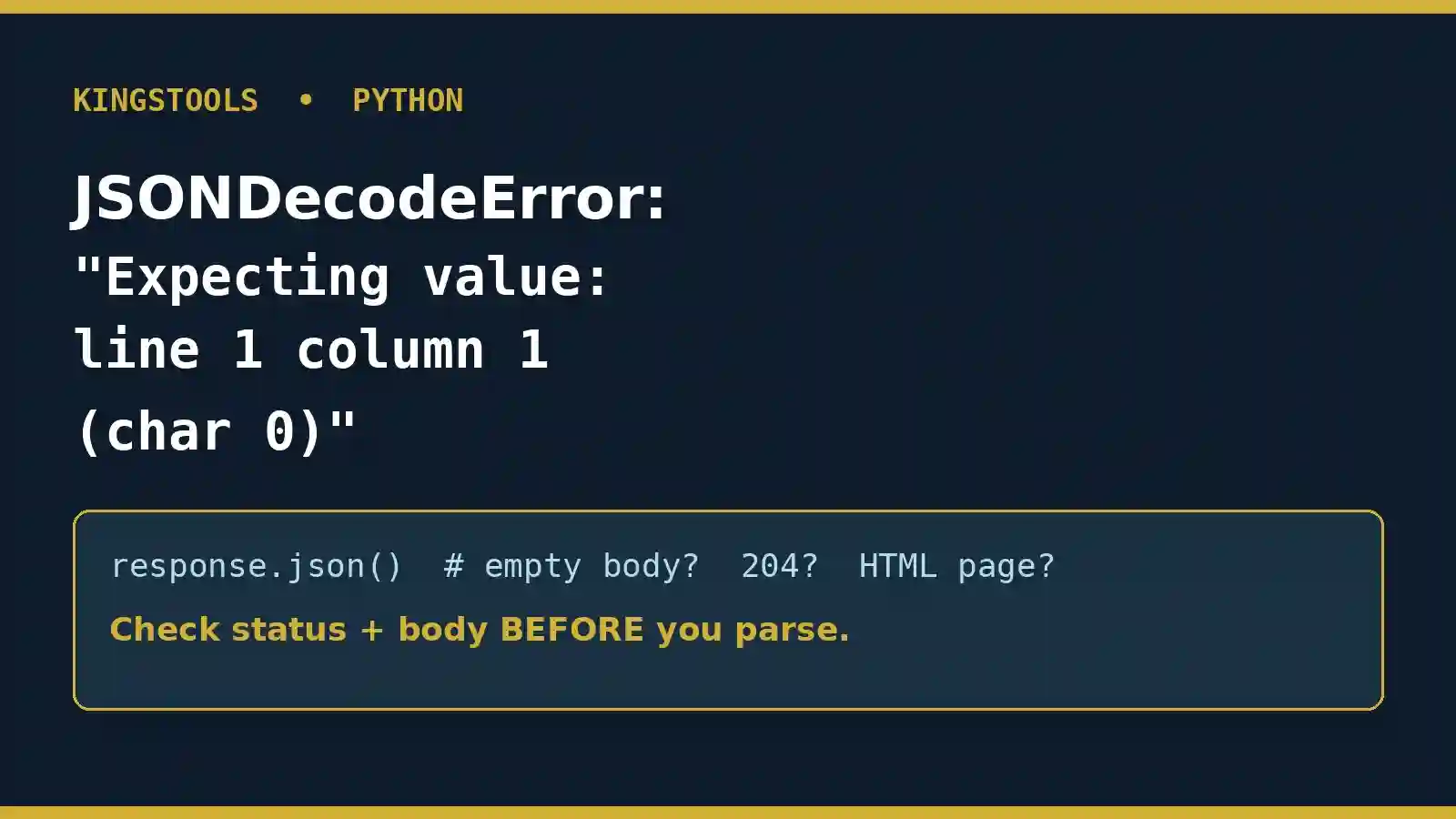
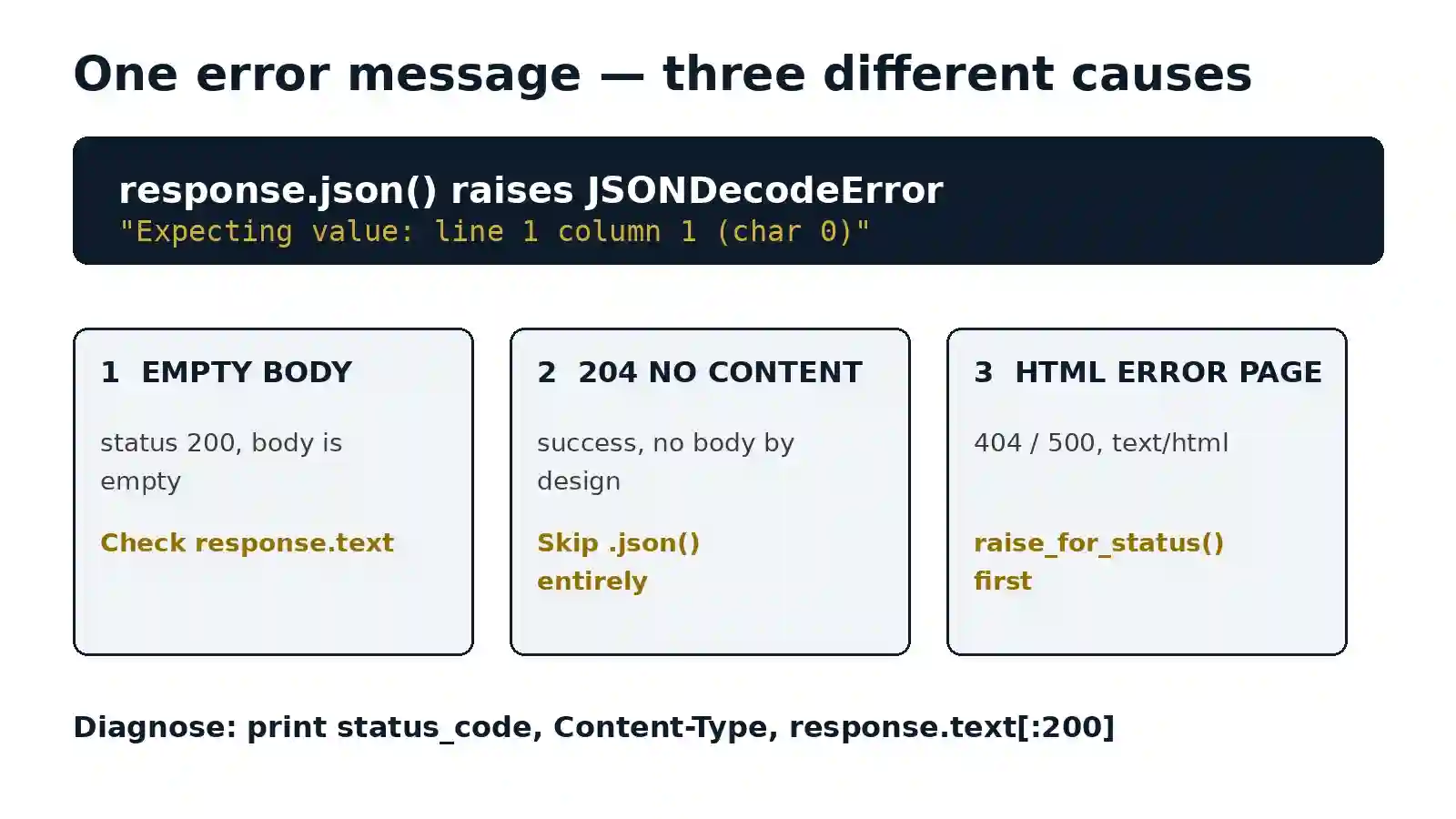
Expecting value: line 1 column 1 (char 0) means Python’s JSON parser looked at the very first character of what you gave it and found nothing it could turn into a value — no {, no [, no quote, no number, nothing. The string was empty, or it started with something that is not JSON at all, like the < of an HTML error page. This guide fixes the error in Python requests, where it most often appears as response.json() raising JSONDecodeError. Every error message below is verbatim from real runs on Python 3.12.3 with requests 2.31.0, and the same message turns up for three different causes — so the fix is not to catch the error harder, but to look at the response before you parse it.
Quick Answer: What Causes It and What to Do
| Cause | How to tell | Fix |
|---|---|---|
| Empty response body | response.text is '', status is usually 200 |
Check response.text before calling .json(); treat empty as no data, not as JSON |
| 204 No Content | Status code is 204 — a successful response that by definition has no body | Handle 204 explicitly and skip parsing entirely |
| HTML error page instead of JSON | Status is 404, 500 or 502; Content-Type is text/html; body starts with <html> |
Call raise_for_status() first and check the content type before parsing |
| Empty file or empty string in your own code | json.loads('') or json.load() on an empty file |
Check the string or file is non-empty before parsing; catch JSONDecodeError around the parse |
What “Expecting Value: Line 1 Column 1 (Char 0)” Actually Means
A JSON document must start with a value: an object ({), an array ([), a string ("), a number, true, false or null. “Char 0” is the position of the first character, so the error says the parser could not find a value at the very start. It does not say your JSON is subtly malformed halfway through — it says there was nothing parseable at position zero.
That is why the same message appears for an empty string and for an HTML page. An empty string has no first character at all. An HTML page starts with <, which cannot start a JSON value either. The parser reports both the same way, and the error alone cannot tell you which one you have. You have to inspect the response, which takes three lines and is the whole diagnosis in this article.
The full exception class is json.decoder.JSONDecodeError, and in requests it surfaces as requests.exceptions.JSONDecodeError — the same error, re-exported. In older Python 2 code the same failure was worded ValueError: No JSON object could be decoded; if you see that wording in an old Stack Overflow answer, it is this error.
Tested: The Exact Error, Reproduced
We reproduced the error on Python 3.12.3 with requests 2.31.0. The point of these runs is the pattern: one identical message, several different causes. The table below is the evidence; the sections after it walk through each cause.
| Run | What we did | Verbatim result |
|---|---|---|
| 1 | json.loads('') |
JSONDecodeError: Expecting value: line 1 column 1 (char 0) |
| 2 | json.loads(' ') — whitespace only |
JSONDecodeError: Expecting value: line 1 column 4 (char 3) — not char 0 |
| 3 | json.loads('<html>...') — HTML instead of JSON |
JSONDecodeError: Expecting value: line 1 column 1 (char 0) |
| 4 | json.loads('\ufeff{}') — string starting with a BOM |
JSONDecodeError: Unexpected UTF-8 BOM (decode using utf-8-sig): line 1 column 1 (char 0) — a different error |
| 5 | response.json() on an empty 200 body |
JSONDecodeError: Expecting value: line 1 column 1 (char 0) |
| 6 | response.json() on a 204 No Content response |
JSONDecodeError: Expecting value: line 1 column 1 (char 0) |
| 7 | response.json() on a 500 HTML error page |
JSONDecodeError: Expecting value: line 1 column 1 (char 0) |
| 8 | json.load() on an empty file |
JSONDecodeError: Expecting value: line 1 column 1 (char 0) |
| 9 | Guarded pattern (status, content-type and empty-body checks) on a good body | {'ok': True} — parses cleanly; the same guard returns None for empty and 204 bodies instead of raising |
Runs 1, 3, 5, 6, 7 and 8 all produce the identical message. That is the trap: if you only read the exception, you cannot know whether the server sent nothing, sent an error page, or your own file was empty. Runs 2 and 4 are the useful contrasts — a whitespace-only body reports char 3, not char 0, and a BOM reports a different error entirely, so neither is this error.
Cause 1: An Empty Response Body
This is the most common cause, and the easiest to miss, because the request itself succeeded. The server returns status 200, your code calls response.json(), and there is nothing to parse. Run 5 above is exactly that: an empty 200 body with Content-Type: application/json still raises the error, because the header promises JSON and the body delivers none.
Empty bodies happen when an endpoint returns nothing for a successful write, when a proxy strips the body, or when your code reads the wrong variable — for example, parsing response.text from a request that was never sent, or calling json.loads() on a variable that was never assigned. The same failure in your own code is json.loads('') (Run 1) or json.load() on an empty file (Run 8): identical message, no server involved at all.
Diagnose it in one line before you parse anything:
print(response.status_code, response.headers.get("Content-Type"), repr(response.text[:200]))If that prints 200 application/json '', the body is empty and the server is the problem, not your parser. If it prints a non-empty string, look at what the string actually starts with — that is the next cause.
Cause 2: 204 No Content
A 204 response is a success with no body by definition. Many APIs return 204 after a DELETE, or after an update that has nothing to return. Calling response.json() on it is a guaranteed JSONDecodeError, as Run 6 shows — the request worked, the API behaved correctly, and the parsing step is simply wrong for this status code.
This is the single most common version of the error in requests code, because 204 looks like any other 2xx success and nothing in the status code warns you. The fix is to check the status before parsing: if it is 204, there is no JSON to read, and your code should carry on with no data rather than calling .json() at all. The guarded pattern in the fix section below does exactly that.
Cause 3: The API Returned HTML Instead of JSON
When an API fails, it often fails in HTML. A 404 for a wrong URL, a 500 from a crashed server, a 502 from a gateway, or a login page when your session expired — all of these return an HTML page whose first character is <. Run 3 (json.loads('<html>...')) and Run 7 (a 500 HTML page through response.json()) both produce the char 0 error, because < cannot start a JSON value.
This cause has a clear fingerprint: the status code is not 200, the Content-Type is text/html, and the body starts with <html> or <!DOCTYPE. That is why raise_for_status() belongs before .json() — it turns a misleading JSON error into the real HTTP error (404, 500, 502), which tells you what actually went wrong. If the body is HTML on a 200 status, the usual culprits are a wrong URL (you hit a web page, not the API), an expired session redirecting to a login page, or a server returning its error page with the wrong status. Our guide to APIs returning invalid JSON covers the server side of this in more detail, and Common JSON Errors shows the same HTML-instead-of-JSON failure with a tested example.
The Fix: Check Before You Parse
The fix is a guard, not a bigger try block. Check the status, check the content type, and check the body is non-empty — then parse. This pattern was verified against all four cases in Run 9: it returns the parsed object for a good body, returns None for an empty body and for 204, and raises the real HTTP error for a 500 instead of a misleading JSON error.
import requests
from requests.exceptions import JSONDecodeError

response = requests.get("https://api.example.com/items")

# 1. Let HTTP errors be HTTP errors — a 404 or 500 should not
#    disguise itself as a JSON error.
response.raise_for_status()

# 2. A 204 has no body by definition. There is nothing to parse.
if response.status_code == 204 or not response.text.strip():
    data = None
else:
    # 3. Only parse when the server actually sent JSON.
    content_type = response.headers.get("Content-Type", "")
    if "application/json" not in content_type:
        raise ValueError(
            f"Expected JSON, got {content_type}: {response.text[:200]!r}"
        )
    try:
        data = response.json()
    except JSONDecodeError:
        raise ValueError(
            f"Response is not valid JSON: {response.text[:200]!r}"
        )
Three details matter. First, raise_for_status() goes before .json(), not after — after is too late, because .json() raises first. Second, the empty-body check uses response.text.strip(), because a body of only spaces is also unparseable (Run 2: it fails at char 3, not char 0, but it still fails). Third, the try/except JSONDecodeError stays as a safety net, but it now wraps a response you have already inspected, so when it does fire you can print the body and see why instead of guessing.
The same guard applies to json.loads() and json.load() in your own code:
import json
from json import JSONDecodeError

# json.loads(): check the string before parsing it.
text = open("data.json", encoding="utf-8").read()
if not text.strip():
    data = None
else:
    try:
        data = json.loads(text)
    except JSONDecodeError as exc:
        raise ValueError(f"data.json is not valid JSON: {exc}") from exc

# json.load(): an empty file raises the same char 0 error (Run 8),
# so check the file size or read-then-check as above.
To validate a response quickly while debugging, paste it into the KingsTools validator — an empty body or an HTML page fails there the same way, and seeing the first characters is usually enough to identify the cause. For a systematic approach to checking API responses before parsing, see our Python JSON parsing guide, which covers json.loads(), json.load() and response.json() with tested examples, and JSON validation in CI/CD if this error keeps reaching production.
Not This Error: Three Lookalikes
A UTF-8 BOM is a different error. A JSON string starting with a Byte Order Mark gives JSONDecodeError: Unexpected UTF-8 BOM (decode using utf-8-sig) (Run 4), not “Expecting value”. The fix is different too — decode with utf-8-sig, which we verified turns the BOM input into {'ok': True}. Do not apply the empty-body fix to a BOM problem; the BOM means there is data, it just needs the right decoding. If you are stripping a BOM to fix char 0, you are fixing the wrong error.
A whitespace-only body is a different position. json.loads(' ') fails at char 3, not char 0 (Run 2), because the parser skips the spaces and then finds nothing at position 3. If your error says char 3, the body was spaces, not empty — check for a body that is only whitespace, which the .strip() check in the fix above already handles.
Other JSONDecodeError messages are other problems. Expecting property name enclosed in double quotes means the JSON started fine but a key was not quoted — it is shown with a tested example in our Python JSON guide, so this article does not repeat it. Extra data means there was valid JSON followed by more text, and invalid control character means a raw newline or tab inside a string. Each has its own cause and fix; only char 0 means “nothing parseable at the start”.
One short note for pandas users: the keyword “expecting value line 1 column 1 char 0 pandas” comes up often, but in our test on pandas 2.1.4, read_json on a truly empty input raises its own message, ValueError: Expected object or value — not this error. So if you see char 0 in a pandas workflow, the failure is usually in the step before pandas: the requests call or the json.loads() that produced the empty string. Fix that step with the guard above.
Frequently Asked Questions
What does “Expecting value: line 1 column 1 (char 0)” mean?
It means the JSON parser found nothing it could use as a value at the very first character of the input. The input was empty, or it started with a character that cannot begin a JSON value — most often the < of an HTML error page. The error is about position zero specifically: the parser never got past the start. Check response.status_code, Content-Type and the first 200 characters of response.text to find out which of the two it was.
Why does response.json() raise JSONDecodeError?
Because response.json() parses whatever body the server sent, without checking it first. If the body is empty, if the status is 204 No Content, or if the server returned an HTML error page, there is no JSON to parse and json.loads() underneath raises JSONDecodeError. The request itself may have succeeded — a 200 with an empty body still raises. The fix is to check the status with raise_for_status(), handle 204 explicitly, and confirm the body is non-empty JSON before calling .json().
How to handle an empty JSON response in Python?
Check before you parse: if response.status_code == 204 or not response.text.strip(): data = None, and only call response.json() otherwise. For json.loads(), check if not text.strip() first; for json.load() on a file, check the file is non-empty. Wrap the parse in try/except JSONDecodeError as a safety net, and include the first 200 characters of the body in the error you raise, so the next person debugging it can see whether the body was empty or HTML.
Summary
Expecting value: line 1 column 1 (char 0) means there was nothing parseable at the first character — an empty body, a 204 No Content response, or an HTML error page instead of JSON. We verified all three produce the identical message on Python 3.12.3 with requests 2.31.0, which is why the error alone cannot diagnose itself. Print the status code, the content type and the first 200 characters of the body; that tells you the cause in seconds. Then guard the parse: raise_for_status() first, handle 204 and empty bodies explicitly, check the content type, and only then call response.json(). A BOM gives a different error and needs utf-8-sig, and a whitespace-only body fails at char 3, not char 0 — so if your error says char 0, the body was empty or HTML, and the guard above is the fix.