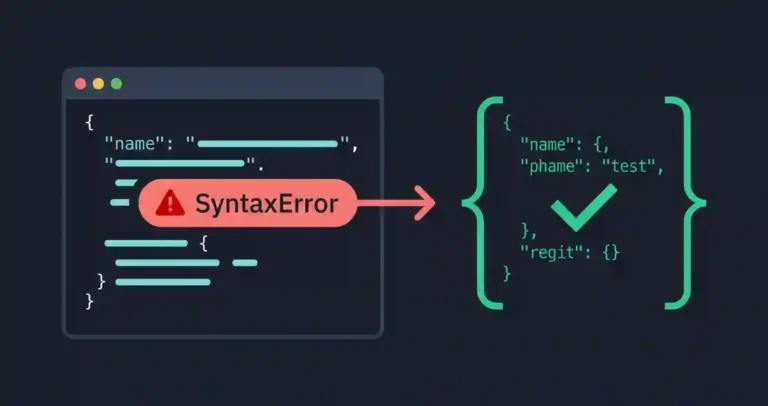
Why APIs Return Invalid JSON: Causes and Fixes
When an asynchronous request fails while parsing JSON, the problem is not necessarily in the JSON parser itself. The response may contain an HTML error page, an empty body, truncated data, an authentication redirect, or incorrectly decoded characters instead of the JSON the application expected.
These failures can originate in application code, backend services, reverse proxies, authentication layers, CDNs, or the client itself. This diagnostic guide explains how to inspect the actual HTTP response, identify common causes of invalid JSON, and handle unexpected response states safely in production.
Quick Diagnostic Reference Table
If your application is throwing parsing errors on incoming API responses, use this reference table to isolate the failure point:
| API Parsing Symptom | Root Cause | Immediate Action |
|---|---|---|
Unexpected token < at position 0 |
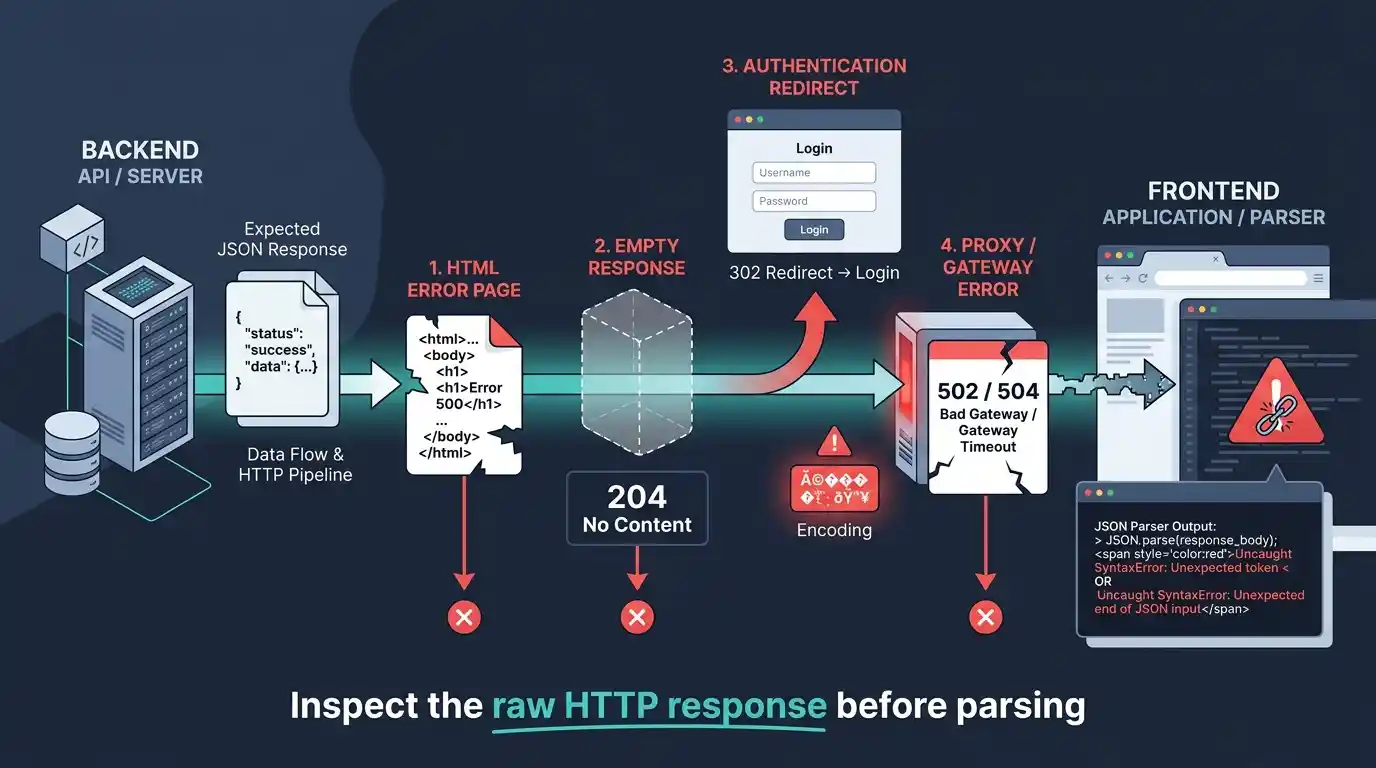
Proxy, WAF, authentication redirect, or server crash returned an HTML error/login page | Inspect raw response body text |
| Unexpected end of JSON input | Client code attempted to parse a response with no JSON body, such as a 204 response or empty 200 response | Check response length and status code before parsing |
| Garbled text or character corruption | Mismatched text encoding or intermediary translation corruption | Validate response headers and inspect raw bytes/text |
| 502 Bad Gateway / 504 Gateway Timeout | Upstream server failure injecting HTML proxy error screens | Check server health logs and reverse-proxy configurations |
1. Content-Type Mismatch
A frequent backend failure occurs when an endpoint responds with a 200 OK status code, but populates the payload body with HTML or plain text instead of structured JSON. This usually happens when a routing fallback or maintenance script intercepts the request.
Note that validating a Content-Type header alone does not guarantee the body contains valid syntax, as a server can return an application/json header alongside malformed text. If you want to dive deeper into structuring payloads correctly, review our guide on JSON validation principles.
2. Empty Responses and the 204 Trap
Endpoints handling deletion or silent updates often return an empty body with a status of 204 No Content or an empty string with a 200 OK. A 204 status itself does not cause a parsing error; the issue occurs when client code blindly attempts to parse the empty response body as JSON. Specifically, calling await response.json() will fail when there is no JSON body, including a genuine 204 No Content response, resulting in an Unexpected end of JSON input syntax error.
3. Authentication Redirects and Login Pages
An expired session, missing authentication token, incorrect API credentials, or middleware configuration can cause an API request to receive an HTML login page instead of JSON. For example, a request to GET /api/user might trigger a 302 Redirect to /login, returning an HTML login page. Because browser fetch() requests follow redirects automatically, developers often see a final 200 OK status code and assume the API worked, only to encounter an Unexpected token < error when parsing fails.
4. Proxy, Gateway, and WAF Interceptions
When an application scales behind reverse proxies like Nginx, Cloudflare, or enterprise Web Application Firewalls (WAF), a backend crash or rate-limit trigger doesn’t reach your application code. Instead, the proxy intercepts the bad request and injects its own HTML template—such as a 502 Bad Gateway or a Cloudflare DDoS challenge screen.
Because these proxy screens start with standard HTML tags, client apps expecting JSON break immediately. Debugging these requires inspecting the network layer directly to see if the response originated from your application server or an upstream proxy.
5. Encoding and Charset Problems
JSON exchanged over modern web APIs should be transmitted using UTF-8. Problems can occur when a legacy system generates bytes using a different character encoding, or when an intermediary incorrectly decodes and re-encodes the response before it reaches the client.
These problems do not always produce a JSON syntax error. Depending on where the encoding mismatch occurs, characters may appear corrupted, Unicode replacement characters may be introduced, or the resulting text may no longer match the JSON expected by the application.
For API responses, the server should identify the payload as JSON with an appropriate Content-Type header:
Content-Type: application/json; charset=utf-8
If characters are being corrupted, compare the raw response bytes, HTTP headers, server configuration, and any proxy or middleware that transforms the response. The goal is to determine where the original byte sequence was incorrectly encoded or decoded.
6. Inspect the Raw Response Before Parsing
When debugging an invalid JSON response, the most useful first step is to inspect exactly what the server returned. Calling response.json() immediately attempts to parse the response body, so you may lose the opportunity to inspect the raw response text that caused the failure.
It is important to remember that fetch() does not reject its promise merely because the server returns a 4xx or 5xx HTTP error status. The application must explicitly inspect response.ok or response.status.
For troubleshooting, read the response as text first and inspect the status code, content type, and beginning of the body:
async function fetchJson(url) {
    const response = await fetch(url);
    const contentType = response.headers.get('content-type');
    const text = await response.text();

    console.log('Status:', response.status);
    console.log('Content-Type:', contentType);
    console.log('Response preview:', text.slice(0, 200));

    // fetch does not reject on 4xx/5xx responses automatically
    if (!response.ok) {
        throw new Error(
            `Request failed with status ${response.status}: ${text.slice(0, 200)}`
        );
    }

    if (!text.trim()) {
        return null;
    }

    try {
        return JSON.parse(text);
    } catch (error) {
        throw new Error(
            `Server returned invalid JSON. Response preview: ${text.slice(0, 200)}`
        );
    }
}
This approach makes several common failures immediately visible. An HTML document usually begins with <, an authentication page may contain a login form, and a truncated response may end unexpectedly. For more insights on handling structural breaks, review our deep dive into fixing an Unexpected Token in JSON.
7. Debug API Responses with curl
When browser developer tools are not enough, command-line diagnostics can reveal hidden redirect chains and header anomalies. You can inspect raw headers and status codes using:
curl -i https://example.com/api/data
The -i flag exposes the full HTTP response headers and status line. If you suspect an authentication redirect is silently converting your JSON response into an HTML login page, use the follow-redirects flag:
curl -i -L https://example.com/api/data
This command outputs every intermediate redirect step, allowing you to catch instances where an API route resolves to an HTML resource.
The Definitive API Troubleshooting Checklist
When an API endpoint starts throwing invalid JSON errors across your application stack, systematically walk through this triage list:
- Check the Network Tab: Do not rely solely on console error logs. Open your browser DevTools, click the failing network request, and look at the raw Response tab.
- Verify the Leading Character: If the response starts with
<, an HTML wrapper, proxy error, or login redirect has replaced your JSON data. - Inspect Content-Type Headers: Confirm whether the server is explicitly declaring
application/json, keeping in mind that content type headers alone do not guarantee syntactic validity. - Validate Data Integrity: Paste the raw failing response payload into our free online JSON formatter and validator to see if the server output is truncated or structurally corrupted.
- Review Server & Proxy Logs: Check upstream error logs (Nginx error logs, Node/Python process logs) to see if an unhandled exception triggered an HTML fallback screen.
How to Prevent Invalid JSON Responses in Production
Preventing parsing crashes requires hardening both ends of the data pipeline. On the server side, ensure routes consistently return proper headers, handle application exceptions gracefully without dumping HTML traces, and explicitly return JSON error payloads rather than triggering silent redirects for API clients. On the client side, never assume an endpoint is infallible; structure your JavaScript network wrappers to inspect headers, handle empty 204 states cleanly, and safely catch parsing anomalies before they break application state.