Here’s a problem you’ll hit sooner or later if you work with JSON long enough: you need to send an image, a file, or some other chunk of binary data inside a JSON payload. And JSON has no way to do that. None. It only knows strings, numbers, booleans, null, objects, and arrays — nothing for raw bytes. So how does anyone actually get a picture or a PDF into a JSON API request? Base64 encoding. Let’s get into how it actually works, and what it costs you — with real measurements, not just the theory.
Why JSON Can’t Just Hold Binary Data
We tried the obvious thing first, just to show you what happens:
import json

binary_data = b'\x89PNG\r\n...'  # some raw bytes

json.dumps({'data': binary_data})

# TypeError: Object of type bytes is not JSON serializable
That error is real — we ran it, and that’s the exact message Python gives you. JSON strings are text — sequences of Unicode characters — and raw binary data isn’t text. It’s a stream of bytes that might contain sequences that aren’t valid text at all. JSON’s full list of data types is: string, number, boolean, null, object, array. That’s it. No “binary” type anywhere on that list, and there never will be, because JSON was designed as a text format from the ground up.
The Fix: Base64 Turns Bytes Into Text
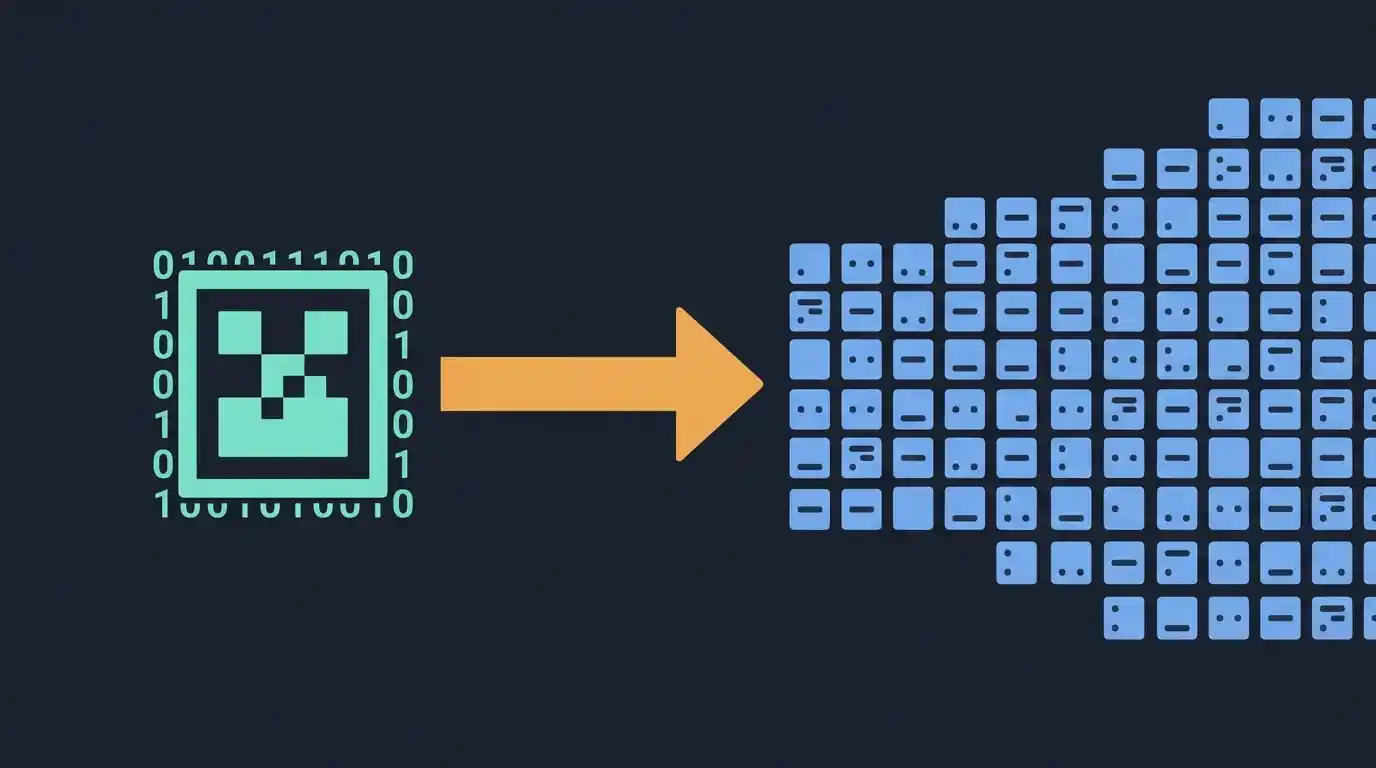
Base64 solves this by converting binary data into a string made up of only 64 safe, printable characters (A-Z, a-z, 0-9, plus + and /). Once your data is base64 text, it’s just… a string. JSON has no problem with that at all.
import base64, json

binary_data = b'some binary content here'
encoded = base64.b64encode(binary_data).decode('ascii')

payload = json.dumps({'filename': 'chunk.bin', 'data': encoded})

print(payload)
And getting it back is just as simple — decode the base64, and you have your original bytes again:
parsed = json.loads(payload)
original = base64.b64decode(parsed['data'])
Tested: a real round trip, byte for byte
We ran this round trip on 1,024 bytes of genuinely random binary data — not a text string pretending to be binary — to make sure nothing gets corrupted along the way:
round-trip decoded == binary_data: True
sha256 original: 77bdcf17b780dfa9 | sha256 decoded: 77bdcf17b780dfa9
payload length: 1405 chars; base64 field: 1368 chars
The decoded bytes match the original byte for byte — same SHA-256 hash, not just the same length. The full JSON payload for that 1 KB file is 1,405 characters, of which 1,368 are the base64 data itself and the rest is the filename field and the JSON punctuation around it.
The Catch: It’s Not Free
Here’s the part people forget until it bites them. Base64 makes your data bigger. Noticeably bigger.
We measured it directly: 300 bytes of binary data became 400 characters of base64 text. That’s a 33.3% increase, and it’s not a fluke of our specific test — it’s just how the math works. Base64 groups every 3 bytes of input into 4 output characters, so you’re always looking at roughly a third more data, every single time.
Tested: the 33% tax at real file sizes
We encoded random binary data at six sizes, from 300 bytes up to a 5 MB phone photo, and measured the actual base64 output:
| Original size | Base64 size | Overhead |
|---|---|---|
| 300 bytes | 400 characters | 33.33% |
| 1 KB (1,024 bytes) | 1,368 characters | 33.59% |
| 100 KB (100,000 bytes) | 133,336 characters | 33.34% |
| 1 MB (1,000,000 bytes) | 1,333,336 characters (1.33 MB of text) | 33.33% |
| 1 MiB (1,048,576 bytes) | 1,398,104 characters (1.33 MiB of text) | 33.33% |
| 5 MB (5,000,000 bytes — a phone photo) | 6,666,668 characters (6.67 MB of text) | 33.33% |
The overhead is a flat 33.33% at every size — the one exception is the 1 KB row at 33.59%, and that’s just padding: 1,024 bytes doesn’t divide evenly by 3, so the encoder adds = padding characters to fill out the last group. At any real file size that extra padding is a rounding error.
Put it in concrete terms: a 1 MB image doesn’t travel as 1 MB of JSON. It travels as 1.33 MB of text. A 5 MB phone photo becomes 6.67 MB of JSON payload — and that’s before the rest of your request (headers, other fields) is added on top. For a small file, that’s nothing. For a large one, it adds up fast, and it’s worth knowing before you architect an API around embedding big files as base64 JSON fields.
When Base64-in-JSON Makes Sense
- Small images or icons, especially where a separate file upload/download round trip would be more overhead than the size increase itself
- Data URIs, where you’re embedding a small image directly into HTML or CSS and don’t want a separate network request
- JWTs, which use base64url encoding for their header and payload
- Anywhere a strict JSON-only API contract matters more than raw efficiency — some systems just won’t accept multipart form data or binary uploads, and base64-in-JSON is the workaround
When It Doesn’t
If you’re moving anything reasonably large — a photo from a phone camera, a video, a big PDF — base64-in-JSON is usually the wrong call. A dedicated file upload endpoint (multipart form data, or a signed URL straight to cloud storage) skips the 33% tax entirely and is what most real-world APIs actually do for anything beyond a few kilobytes. A 5 MB photo sent as base64 is 6.67 MB on the wire; sent as a file upload, it’s 5 MB.
A Quick Gotcha: Standard vs. URL-Safe Base64
Regular base64 uses + and / in its output, and both of those characters mean something special in a URL. If your base64 string is ever going to end up in a URL (a query parameter, part of a path), use the URL-safe variant instead, which swaps those two characters out:
url_safe = base64.urlsafe_b64encode(binary_data).decode('ascii')This is exactly what JWTs use, for exactly this reason — a JWT gets passed around in headers and sometimes URLs, so it needs to survive that context without anything getting mangled or needing extra escaping.
Tested: the difference, character for character
We encoded the same 6 bytes (fb ff fe fb ef be) both ways, so you can see exactly which characters change:
demo bytes fbfffefbefbe -> standard: +//+++++
demo bytes fbfffefbefbe -> urlsafe:  -__-----
Every + becomes - and every / becomes _. Nothing else changes — same length, same data, and it decodes back to the exact same bytes:
urlsafe no padding: -__-----
decode back: fbfffefbefbe
One more detail worth knowing: URL-safe base64 is often written without the trailing = padding (JWTs do this). That shorter form is still valid — you just add the padding back before decoding, as the run above shows.
Checking the JSON Once You’ve Embedded Base64
One thing worth knowing: base64 strings are long, and they’re all one unbroken chunk of text with no spaces. That makes them easy to accidentally cut off when you’re copying a payload around by hand, or pasting it somewhere for a quick test. If a base64-heavy JSON payload isn’t validating and you can’t spot why, it’s worth running it through our JSON Formatter and Validator — a truncated base64 string usually shows up as a plain old unterminated-string error, which is easy to miss when the string itself is 400 characters of what looks like random noise. At the sizes in the table above, a truncated string could be over a million characters of noise.
Frequently Asked Questions
Does base64 encoding add any security or encryption?
No, not even a little. It’s purely a format conversion — anyone can decode it instantly with no key or password needed. Don’t mistake it for a way to hide or protect data.
Can I base64 encode a whole file, or just small chunks?
Either works technically. The practical limit is really about payload size and your API’s request size limits, not base64 itself. A 5 MB file encodes fine — it just becomes 6.67 MB of JSON, which may exceed a request-size limit that the raw 5 MB file would have passed.
Why does my base64 string end with one or two = signs?
That’s padding. Base64 works in groups of 3 bytes, and when your data doesn’t divide evenly into groups of 3, = characters get added at the end to fill out the last group. Totally normal, not an error. Our 1 MB test file (1,048,576 bytes) ended in WA== for exactly this reason.
Is there a more efficient way to embed binary data in JSON?
Not within standard JSON itself — base64 is really the accepted way to do it. If efficiency matters more than JSON compatibility, a binary format like Protocol Buffers or MessagePack skips this overhead entirely, but that’s a different format, not a JSON trick.
How much bigger does a 1 MB file actually get?
Exactly a third bigger, measured: 1,000,000 bytes becomes 1,333,336 characters of base64 (1.33 MB of text), and 1,048,576 bytes (1 MiB) becomes 1,398,104 characters. A 5 MB phone photo becomes 6.67 MB of JSON text.
Summary
Base64 is the standard way to squeeze binary data into JSON’s text-only world, and it works reliably — we verified the round trip byte for byte (matching SHA-256 hashes) and measured the size cost at six file sizes. Just remember it’s not free: you’re paying about a 33% size tax every time, confirmed by our own tests — a 1 MB file travels as 1.33 MB of text, a 5 MB photo as 6.67 MB. Fine for small stuff like icons, data URIs, and JWTs. Not something you want to reach for when you’re moving anything genuinely large — use a file upload endpoint instead, and skip the tax entirely.