7 Smart JSONPath Tutorial Tricks to Stop Frustrating Data Extraction
By Kings Tools Team
You hit an API endpoint and wait a second before the server throws back a massive JSON payload. You look at it in your editor. It’s just an absolute wall of brackets and nested objects. You know the exact data you need is in there somewhere. Maybe you just want the email addresses of your active users, but they sit buried three levels deep inside an array.
Your first instinct is usually to write a quick script. You set up a loop to go through the users. Then you add an if statement to check if they are active. Then you realize some users don’t have an email field, so your script crashes. You add a try-catch block. Before you know it, you’ve written twenty lines of brittle code just to pull out a simple list of strings.
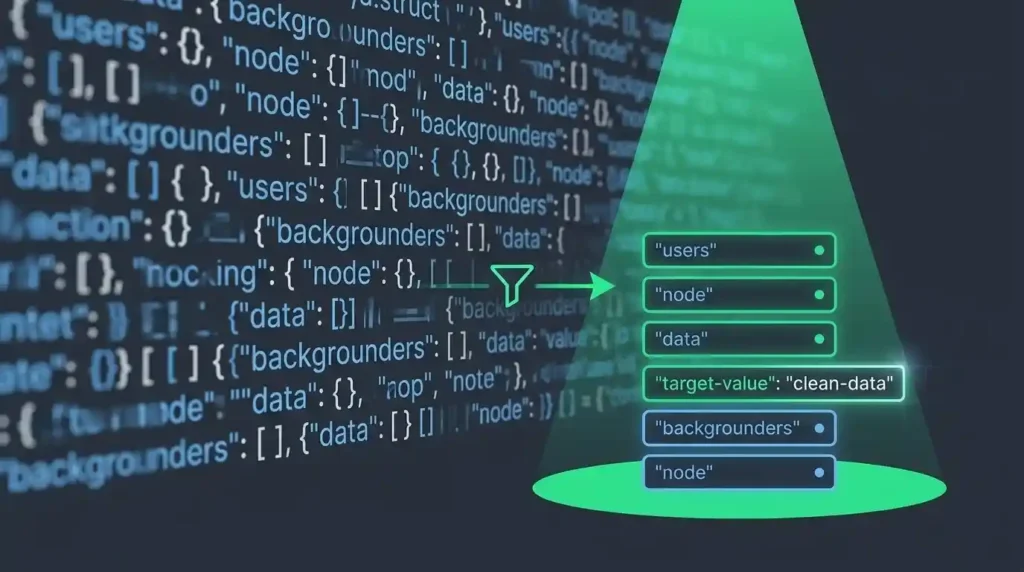
That is exactly the problem JSONPath was built to solve. Think of it as XPath, but designed specifically for JSON data. It’s a query language that lets you extract precisely what you need using a single string of characters.
The Core JSONPath Tutorial: Exploring the Syntax
To keep things clear, we’re going to run all our queries against a single sample dataset. It’s a simple storefront inventory containing a few books and a bicycle. Let’s look at the structure we’ll be working with.
{
  "store": {
    "books": [
      {
        "category": "reference",
        "author": "Nigel Rees",
        "title": "Sayings of the Century",
        "price": 8.95
      },
      {
        "category": "fiction",
        "author": "Evelyn Waugh",
        "title": "Sword of Honour",
        "price": 12.99,
        "available": false
      },
      {
        "category": "fiction",
        "author": "Herman Melville",
        "title": "Moby Dick",
        "isbn": "0-553-21311-3",
        "price": 8.99,
        "available": true
      },
      {
        "category": "fiction",
        "author": "J. R. R. Tolkien",
        "title": "The Lord of the Rings",
        "isbn": "0-395-19395-8",
        "price": 22.99,
        "available": true
      }
    ],
    "bicycle": {
      "color": "red",
      "price": 19.95
    }
  }
}
Before you start writing queries against your own data, you need to know your data is actually sound. A single missing comma will break your parser before the query even runs. Grab your raw API dumps and paste them into our JSON formatter and validator first. Seeing the data clearly formatted makes everything else much easier.
Now let’s get into the 7 tricks that completely change how you handle nested data.
Trick 1: The Basics of Root and Dot Notation
Every JSONPath expression starts with a dollar sign ($). That symbol represents the absolute root of your JSON document. From there, you navigate down the tree exactly like you would in JavaScript or Python. You just use a dot followed by the property name you want to access.
If you want to grab all the books from our store, the query is incredibly straightforward.
$.store.booksThis returns the entire array of book objects. It forms the foundation of every query you’ll write. You start at the root and walk your way down the path step by step.
Trick 2: Handling Weird Keys with Bracket Notation
Dot notation is great because it’s clean and easy to read. It falls apart quickly if your API has keys with spaces or special characters. We all try to stick to clean naming conventions. Then you integrate with a legacy third-party API and suddenly you’re dealing with keys named something awful like “customer first name” or keys that start with numbers.
If you try to query that with a dot, the parser will get completely confused. Bracket notation saves you here. You just wrap the exact string in brackets and single quotes.
$['store']['books']This does the exact same thing as our first query but it’s entirely bulletproof against weird naming conventions. You can mix and match these styles too. Something like $.store['books'] is perfectly valid and very common in real codebases.
Trick 3: The Recursive Descent Operator
Sometimes you don’t know exactly where a piece of data lives. Maybe you want to find the price of every single item in the store. You don’t care if it’s a book, a bicycle, or something buried three levels deep inside an accessories array.
Writing a traditional script to find every price key requires a recursive function that crawls every object. With JSONPath, you just use the double dot (..). This is called the recursive descent operator.
$..priceWhen you run this, the engine scans the entire document from top to bottom. It looks inside every object and every array. Anytime it finds a key named price, it grabs the value.
The output for our test data looks like this:
[
  8.95,
  12.99,
  8.99,
  22.99,
  19.95
]
It’s tempting to throw double dots at everything instead of writing proper paths. Just know that if your JSON file is fifty megabytes, forcing the parser to deeply scan the entire tree for a single key can completely tank your script’s performance. Use it when you need it, but be specific when you can.
Trick 4: Using Wildcards to Grab Everything
Let’s say you want to pull the authors of every book but you don’t want the book objects themselves. You need to tell the query to look inside the books array, grab every item in it, and then pull the author property.
The wildcard operator (*) is your best friend here. It basically means you don’t care what the key is or what the array index is. You just want all of them.
$.store.books[*].authorHere is what happens. We go to the root. We go to the store. We go to the books array. The wildcard bracket tells the engine to iterate over every object inside that array. Finally, the author key pulls the specific string from each of those objects.
You end up with a clean list of strings containing just the author names. No looping or map functions required.
Trick 5: Slicing Arrays Like a Pro
If you’ve written any Python, this will feel very familiar. JSONPath borrows array slicing syntax directly. It lets you grab specific chunks of an array using the format of start, end, and step.
Imagine you have a large payload but you only want the first two books to display on a preview page. You still have to download the full JSON response from the API, but JSONPath lets your code instantly extract just the slice you want without writing custom pagination logic.
$.store.books[0:2]This grabs the items starting at index 0 and stops before it hits index 2. It returns the first and second books perfectly.
You can also use negative numbers to grab things from the end of the array. If you want just the very last book in the list, you can use a negative index.
$.store.books[-1:]Trick 6: Filtering Data with Expressions
Filtering is the feature you’ll rely on the most. It lets you write logical conditions right inside the brackets. It works just like a WHERE clause in a SQL database.
The syntax for a filter looks a little strange at first. You use a question mark followed by parentheses. Inside those parentheses, you use the @ symbol. Think of that symbol as the “current item” in a loop.
Let’s say we want to find all the books that cost less than ten dollars.
$.store.books[?(@.price < 10)]The engine loops through the books array. For each book, it checks if the price property is less than 10. If the condition is true, that book gets included in the final results.
You can combine conditions with standard logical operators. What if we want books that are under ten dollars AND are currently available?
$.store.books[?(@.price < 10 && @.available == true)]This query cuts right through the noise. It hands you exactly the matching books in a fraction of a second.
Trick 7: Checking for Existence
Not all JSON is perfectly uniform. APIs are messy. Some objects have certain keys while others skip them entirely. If you look closely at our test data, only two of the books actually have an ISBN number.
If you write code that assumes every book has an ISBN, it crashes the moment it hits a record missing one. JSONPath handles this gracefully. You can write a filter that just checks if a key exists at all.
$.store.books[?(@.isbn)]This tells the engine to give you every book from the array, but only if it contains a key called ISBN. It drops the other records entirely. This is an incredibly safe way to extract data from unpredictable payloads.
How to Run JSONPath in Python and JavaScript
Knowing the syntax is great, but you have to actually run it in your application. JSONPath implementations are available for many programming languages.
In Python: You’ll likely use the jsonpath-ng library. You parse your JSON into a standard dictionary and pass your query to the evaluator.
from jsonpath_ng import parse
import json

data = {"store": {"bicycle": {"color": "red", "price": 19.95}}}
jsonpath_expr = parse('$.store.bicycle.color')

matches = [match.value for match in jsonpath_expr.find(data)]
print(matches) # ['red']
In JavaScript (Node.js): The jsonpath One commonly used option in Node.js is the jsonpath package.. It works with standard JavaScript objects.
const jp = require('jsonpath');

const data = { store: { bicycle: { color: "red", price: 19.95 } } };
const matches = jp.query(data, '$.store.bicycle.color');

console.log(matches); // [ 'red' ]
The Reality of JSONPath Dialects (and RFC 9535)
For a long time, JSONPath was just a popular idea. A developer named Stefan Gössner wrote an influential article about it back in 2007. People loved it so much they built their own libraries in different languages. The problem was that the Python version behaved slightly differently than the JavaScript version, and the Java version (like Jayway) added its own custom features.
In early 2024, the IETF finally published RFC 9535 to turn JSONPath into an official, standardized specification. This is a huge step forward. However, you need to know that many popular libraries still default to older dialects like Gössner or Jayway. When you’re writing complex filters, always double-check your specific library’s documentation to see which dialect it uses under the hood.
When JSONPath is Not the Right Tool
JSONPath is powerful, but it isn’t always the right choice. Don’t use it if you just need to pluck one single value out of a file where you already know the exact path. Adding a whole library dependency just to find a single key is overkill. For those situations, use plain language tools. We have a dedicated guide on 5 simple ways to find a value in nested JSON without needing query languages at all.
Also, remember that JSONPath is strictly for reading data. If you need to deeply update, mutate, or write new keys into a complex JSON object, you need a different toolset like jq or specialized data transformation libraries.
Test Your Queries Safely
Querying data doesn’t have to be a frustrating chore. Start simple. Chain your dots, add a wildcard, and then throw in a filter.
Before you run your new queries in a production script, test them against clean data. You can paste your messy API payloads into the Kingstools JSON Formatter and Validator to get a clear view of the structure you’re dealing with. Writing queries against beautifully formatted data is infinitely easier than guessing against a minified wall of text.
Authoritative References
- RFC 9535: JSONPath: Query Expressions for JSON – The official IETF standard.
- Original Concept: Stefan Gössner’s 2007 JSONPath Article – The article that started it all.
Frequently Asked Questions
-
Is JSONPath part of standard JSON?
No. JSON is just a data format. JSONPath is a separate query language used to extract data from JSON, much like SQL is used to extract data from a database.
-
What is the difference between JSONPath and jq?
JSONPath is primarily designed for selecting and extracting data. If you need to transform or rewrite JSON, tools such as jq or application-level code are generally more appropriate.
-
Why isn’t my JSONPath filter working?
If your filter throws an error, you are likely dealing with dialect fragmentation. Some libraries require different syntax for filters, or they don’t support regex matching natively. Always check the documentation for the specific library (like
jsonpath-ngor Jayway) you are using.
About the Author: Kings Tools Team publishes practical guides about JSON formatting, validation, data structures, and developer utilities. The team maintains Kingstools and creates hands-on technical resources designed around common JSON development tasks.