5 Powerful Tricks to Convert JSON to Go Structs Without Crashing
By Kings Tools Team,
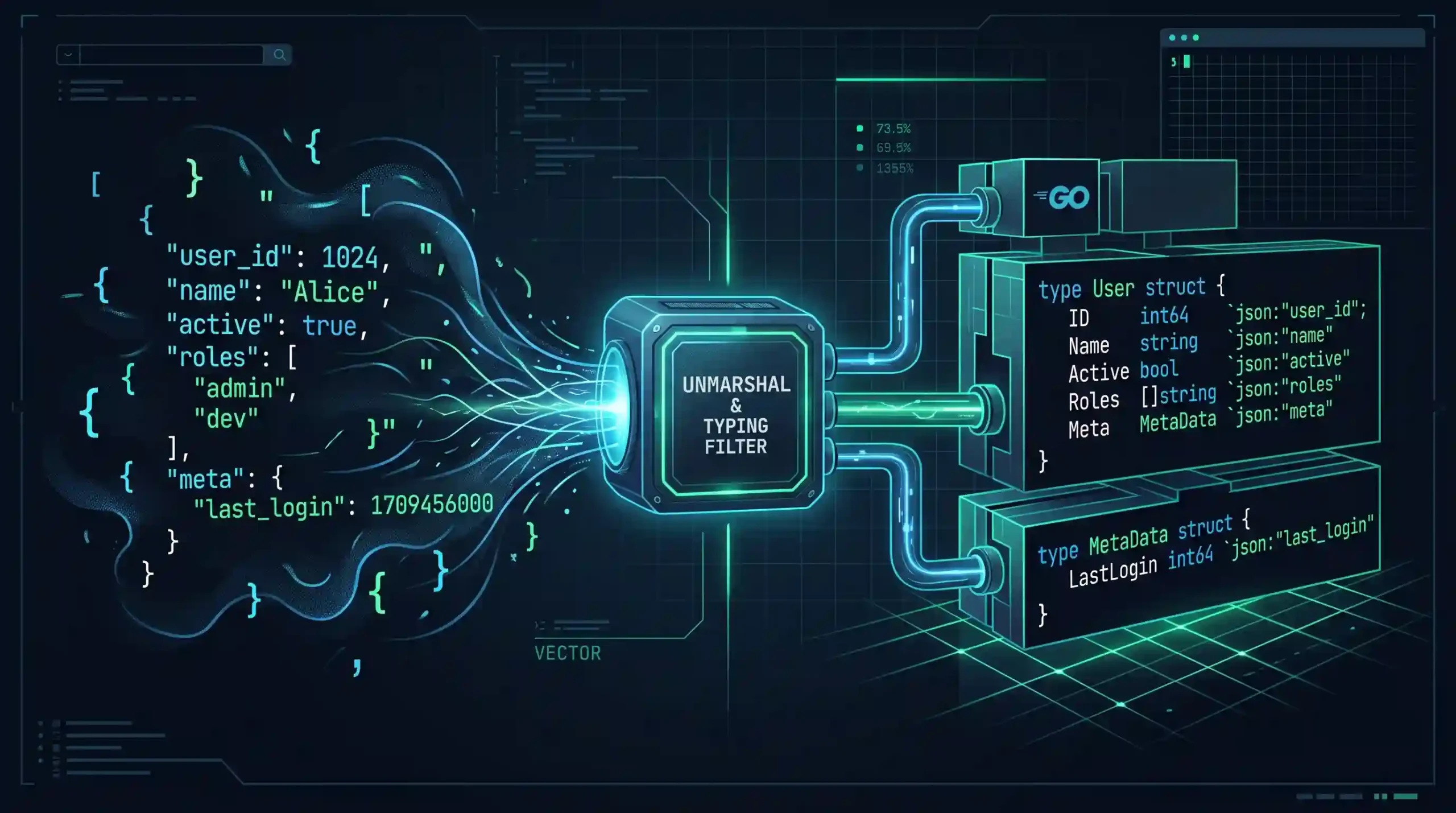
Go loves strict types. It wants to know exactly what kind of data it is holding, how much memory that data needs, and what operations are safe to perform on it. JSON is the exact opposite. It is a completely untyped, unpredictable string of text that usually comes from a third-party API you don’t control.
Bridging that gap means taking raw JSON and mapping it into Go structs. If you just guess at the structure, your program will panic or silently drop data. If you write one massive struct for every payload, your codebase becomes unreadable.
Let’s walk through how to actually handle parsing JSON to Go structs using the standard encoding/json package. We will start with the basics and move into the weird edge cases that usually catch developers off guard.
1. The Basics of JSON to Go Structs
The standard library handles the heavy lifting through a function called json.Unmarshal. You hand it a byte slice of JSON data and a pointer to a struct. It reads the JSON keys, matches them to your struct fields, and populates the data.
Here is what a standard mapping looks like in practice.
package main

import (
    "encoding/json"
    "fmt"
    "log"
)

type User struct {
    ID       int    `json:"id"`
    Username string `json:"username"`
    IsActive bool   `json:"is_active"`
}

func main() {
    payload := []byte(`{"id": 101, "username": "alex_dev", "is_active": true}`)

    var u User
    err := json.Unmarshal(payload, &u)
    if err != nil {
        log.Fatalf("Failed to parse JSON: %v", err)
    }

    fmt.Printf("User %s is active: %t\n", u.Username, u.IsActive)
}
Notice the text surrounded by backticks next to each field? Those are struct tags. They tell the JSON decoder exactly which key in the payload maps to which field in your code. By default, Go will try to do a case-insensitive match if you leave the tags out, but relying on that is a bad habit. Explicit tags protect your code from breaking if you ever decide to rename a variable.
Before you even write your structs, you need to know exactly what the data looks like. Paste your raw payload into our JSON Formatter and Validator first. Trying to manually map a struct to a minified, unformatted blob of text is just asking for a typo.
2. The Omitempty Trap and Handling Nulls
APIs are rarely consistent. Sometimes a field is there. Sometimes it is missing entirely. Sometimes it explicitly returns null. This is where most developers run into their first real headache with Go structs.
If a field is missing from the JSON payload, Go doesn’t throw an error. It just assigns the “zero value” for that type. If it is a string, it becomes an empty string. If it is a boolean, it becomes false. If it is an integer, it becomes zero.
That creates a massive logic problem. Did the user actually have a balance of zero dollars, or did the API just forget to send the balance field? If you use a basic int, you have no way to tell the difference.
To fix this, you use pointers.
type Account struct {
    ID      string `json:"id"`
    Balance *int   `json:"balance"`
}
When you use a pointer (*int), Go behaves differently. If the balance field is missing from the JSON, or if the API explicitly sends "balance": null, the pointer stays nil. Now you can write a simple if statement to check if the data actually exists before you try to use it.
You will also see the omitempty tag used frequently.
type Profile struct {
    Bio string `json:"bio,omitempty"`
}
This tag only affects converting Go structs back into JSON (marshaling). It tells Go that if the Bio field is empty, it shouldn’t even include the key in the final JSON output. It does absolutely nothing when you are reading JSON into a struct, which is a very common point of confusion.
3. Flattening Nested JSON Data
Real-world JSON is heavily nested. You will often see a main object containing a profile object, which contains an array of contact objects. You can map this by nesting structs directly inside each other.
type Customer struct {
    ID      string `json:"id"`
    Contact struct {
        Email string `json:"email"`
        Phone string `json:"phone"`
    } `json:"contact"`
}
Inline structs like this are fine for small scripts. For production code, they turn into an unreadable mess very quickly. You are much better off breaking them out into separate, named types.
type ContactInfo struct {
    Email string `json:"email"`
    Phone string `json:"phone"`
}

type Customer struct {
    ID      string      `json:"id"`
    Contact ContactInfo `json:"contact"`
}
This makes your code reusable. If another part of the API returns that exact same contact block, you don’t have to redefine it. You just reference the ContactInfo type again.
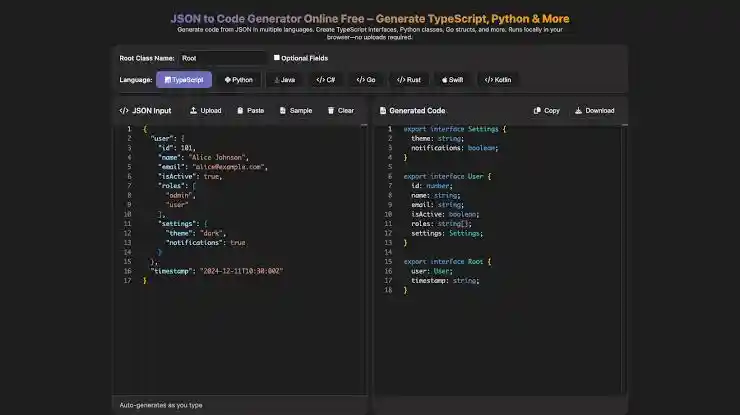
If you find yourself stuck writing fifty different structs for a massive API response, stop typing. There are plenty of free tools online that generate Go structs directly from a JSON sample. You just paste your payload in, and they spit out the exact Go types you need. You can then tweak the generated code to fix edge cases.
4. Custom Unmarshaling for Terrible APIs
Sometimes you have to integrate with an API that breaks the rules. Maybe they return a price as a number (19.99) most of the time, but occasionally they send it as a string ("19.99"). Go’s strict typing will panic immediately when it expects a float and hits a string.
You can solve this by writing a custom unmarshaler. You attach a specific method to your type that intercepts the raw bytes before Go tries to parse them.
type FlexFloat float64

func (f *FlexFloat) UnmarshalJSON(data []byte) error {
    // Check if the data is a string (starts with quotes)
    if len(data) >= 2 && data[0] == '"' && data[len(data)-1] == '"' {
        data = data[1 : len(data)-1]
    }

    // Now parse it as a normal float
    var val float64
    err := json.Unmarshal(data, &val)
    if err != nil {
        return err
    }

    *f = FlexFloat(val)
    return nil
}

type Product struct {
    Price FlexFloat `json:"price"`
}
This intercepts the exact field, strips the quotes off if they exist, and then parses it safely as a float. You can use this exact same pattern to handle APIs that send an object for a single result and an array for multiple results. You just inspect the first byte to see if it is a curly brace or a square bracket, and handle it accordingly.
5. Handling Dynamic Payloads with json.RawMessage
Webhooks are notoriously difficult to parse because the shape of the data changes based on the event. A “user_created” event payload looks completely different from a “payment_failed” event payload. If you try to build one giant struct that covers every possible field, you will end up with hundreds of empty variables.
Instead, you can delay the parsing of the unpredictable parts using json.RawMessage.
type Webhook struct {
    EventType string          `json:"event_type"`
    Payload   json.RawMessage `json:"payload"`
}
When you unmarshal this, Go reads the event_type string perfectly, but it leaves the payload section exactly as it is—just an untouched slice of raw bytes. Now you can check the event type and run a second unmarshal step into the correct struct.
var hook Webhook
json.Unmarshal(data, &hook)

if hook.EventType == "user_created" {
    var user User
    json.Unmarshal(hook.Payload, &user)
    // process user
} else if hook.EventType == "payment_failed" {
    var payment Payment
    json.Unmarshal(hook.Payload, &payment)
    // process payment
}
This keeps your code incredibly clean. You only parse what you actually need, when you know exactly what type it should be.
If you don’t even know the event type, and you just need to dig blindly into an unpredictable payload to find a single key, you might not want to use structs at all. We covered how to find a value in nested JSON using maps and recursive functions. That approach works in Go too using map[string]interface{}, though it gets messy fast because you have to type-assert every single value you extract.
Performance: Decoder vs Unmarshal
Everything we have looked at so far uses json.Unmarshal. That function requires you to load the entire JSON payload into a byte slice in memory before you can parse it. For standard API responses, that is perfectly fine. You have plenty of RAM to hold a 50KB payload.
But if you are processing a massive 2GB log file, loading the whole thing into memory just to parse it will crash your server instantly. For that, you use json.Decoder.
file, _ := os.Open("massive_data.json")
defer file.Close()

decoder := json.NewDecoder(file)

// Read the opening bracket
decoder.Token()

for decoder.More() {
    var item Record
    decoder.Decode(&item)
    // process item immediately
}
The decoder streams the file from the disk. It reads just enough data to populate a single struct, hands it to you, and then immediately throws away the raw text to free up memory. You can process terabytes of JSON this way without ever exceeding a few megabytes of RAM usage.
A Quick Note on Dates in Go
Handling dates in JSON is always a nightmare because JSON doesn’t actually have a date type. Everything is either a string or a Unix timestamp. The good news is that Go’s time.Time type handles standard ISO 8601 (specifically RFC 3339) strings out of the box.
If your API sends "2026-01-15T10:30:00Z", you can just map it directly to a time.Time field in your struct and Go will parse it flawlessly. If you are dealing with APIs that send epoch timestamps as integers instead of strings, you will need to write a custom unmarshaler like we discussed earlier to convert those numbers into real time objects. We have a full breakdown of the math and pitfalls involved in handling dates in JSON if you run into that exact issue.
Frequently Asked Questions
-
What happens if the JSON payload has extra fields not defined in my Go struct?
Go just ignores them. It doesn’t throw an error or crash. The
encoding/jsonpackage only looks for the keys you explicitly mapped in your struct and completely skips the rest. This is a massive advantage because you don’t have to map a 50-field API response if you only care about two specific values. -
Why are all my struct fields completely empty after unmarshaling?
Check your capitalization. In Go, a field is only visible to outside packages (like the standard
jsonpackage) if it starts with an uppercase letter. If you writeusername string `json:"username"`instead ofUsername string `json:"username"`, the parser literally can’t see it and will leave it blank. -
Should I just parse everything into a map[string]interface{} instead of writing structs?
Try to avoid it. Parsing JSON into a generic map works, but it forces you to write manual type assertions for every single value you try to extract later. It is slower, prone to runtime panics, and clutters your code. Save maps for truly chaotic payloads where you have zero idea what the keys will be. For everything else, structs are much safer.
-
How do I handle a JSON array at the root level instead of an object?
If the API returns an array like
[{"id": 1}, {"id": 2}], you don’t unmarshal it into a struct. You unmarshal it into a slice of structs. Just declare your variable asvar users []Userand pass a pointer to that slice intojson.Unmarshal. Go will handle the loop and populate the slice for you.
Summary
Mapping JSON to Go structs feels rigid at first, but that strict typing is exactly what prevents unexpected bugs in production. Keep your structs modular instead of nesting them infinitely. Use pointers to catch missing null fields. Rely on json.RawMessage when you need to route dynamic webhook payloads safely.
Most importantly, don’t write hundreds of lines of structs by hand if you don’t have to. Format your payload, use a generator to get the baseline code, and then apply the custom parsing tricks we covered here only when the API forces you to.
About the Author: Kings Tools Tem are digital content creator and web manager who specializes in building developer software utilities and optimizing data processing formats. He manages Kingstools, a platform dedicated to making JSON validation and formatting faster for engineering teams.