
Encoding Binary Data in JSON With Base64
Here’s a problem you’ll hit sooner or later if you work with JSON long enough: you need to send an image, a file, or some other chunk of binary data inside a JSON payload. And JSON has no way to do that. None. It only knows strings, numbers, booleans, null, objects, and arrays — nothing for raw bytes. So how does anyone actually get a picture or a PDF into a JSON API request? Base64 encoding. Let’s get into how it actually works, and what it costs you.
Why JSON Can’t Just Hold Binary Data
We tried the obvious thing first, just to show you what happens:
import json

binary_data = b'\x89PNG\r\n...'  # some raw bytes
json.dumps({'data': binary_data})
# TypeError: Object of type bytes is not JSON serializable
Fails immediately. JSON strings are text — sequences of Unicode characters — and raw binary data isn’t text. It’s a stream of bytes that might contain sequences that aren’t valid text at all. If you’ve read our breakdown of JSON’s data types, you already know the full list: string, number, boolean, null, object, array. That’s it. No “binary” type anywhere on that list, and there never will be, because JSON was designed as a text format from the ground up.
The Fix: Base64 Turns Bytes Into Text
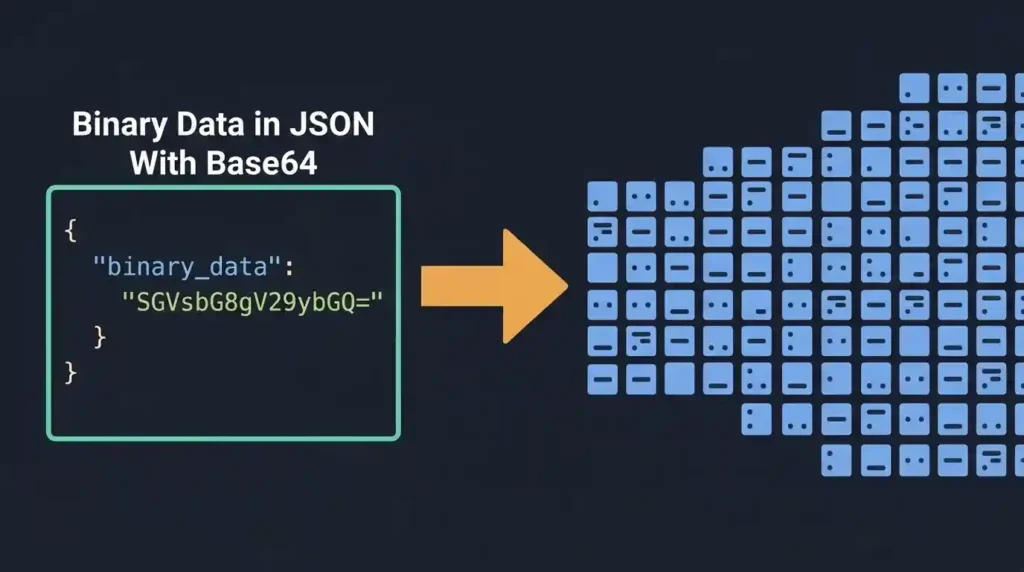
Base64 solves this by converting binary data into a string made up of only 64 safe, printable characters (A-Z, a-z, 0-9, plus + and /). Once your data is base64 text, it’s just… a string. JSON has no problem with that at all.
import base64, json

binary_data = b'some binary content here'
encoded = base64.b64encode(binary_data).decode('ascii')

payload = json.dumps({'filename': 'chunk.bin', 'data': encoded})
print(payload)
And getting it back is just as simple — decode the base64, and you have your original bytes again:
parsed = json.loads(payload)
original = base64.b64decode(parsed['data'])
We actually ran this round trip on a chunk of random binary data to make sure nothing gets corrupted along the way. It didn’t. decoded == binary_data came back True, byte for byte.
The Catch: It’s Not Free
Here’s the part people forget until it bites them. Base64 makes your data bigger. Noticeably bigger.
We measured it directly: 300 bytes of binary data became 400 characters of base64 text. That’s a 33.3% increase, and it’s not a fluke of our specific test — it’s just how the math works. Base64 groups every 3 bytes of input into 4 output characters, so you’re always looking at roughly a third more data, every single time.
For a small file, that’s nothing. For a large one, it adds up fast, and it’s worth knowing before you architect an API around embedding big files as base64 JSON fields.
When Base64-in-JSON Makes Sense
- Small images or icons, especially where a separate file upload/download round trip would be more overhead than the size increase itself
- Data URIs, where you’re embedding a small image directly into HTML or CSS and don’t want a separate network request
- JWTs, which use base64url encoding for their header and payload — we covered exactly how that works in our guide to JSON Web Tokens
- Anywhere a strict JSON-only API contract matters more than raw efficiency — some systems just won’t accept multipart form data or binary uploads, and base64-in-JSON is the workaround
When It Doesn’t
If you’re moving anything reasonably large — a photo from a phone camera, a video, a big PDF — base64-in-JSON is usually the wrong call. A dedicated file upload endpoint (multipart form data, or a signed URL straight to cloud storage) skips the 33% tax entirely and is what most real-world APIs actually do for anything beyond a few kilobytes.
A Quick Gotcha: Standard vs. URL-Safe Base64
Regular base64 uses + and / in its output, and both of those characters mean something special in a URL. If your base64 string is ever going to end up in a URL (a query parameter, part of a path), use the URL-safe variant instead, which swaps those two characters out:
url_safe = base64.urlsafe_b64encode(binary_data).decode('ascii')
This is exactly what JWTs use, for exactly this reason — a JWT gets passed around in headers and sometimes URLs, so it needs to survive that context without anything getting mangled or needing extra escaping.
Checking the JSON Once You’ve Embedded Base64
One thing worth knowing: base64 strings are long, and they’re all one unbroken chunk of text with no spaces. That makes them easy to accidentally cut off when you’re copying a payload around by hand, or pasting it somewhere for a quick test. If a base64-heavy JSON payload isn’t validating and you can’t spot why, it’s worth running it through our JSON Formatter and Validator — a truncated base64 string usually shows up as a plain old unterminated-string error, which is easy to miss when the string itself is 400 characters of what looks like random noise.
Frequently Asked Questions
Does base64 encoding add any security or encryption?
No, not even a little. It’s purely a format conversion — anyone can decode it instantly with no key or password needed. Don’t mistake it for a way to hide or protect data.
Can I base64 encode a whole file, or just small chunks?
Either works technically. The practical limit is really about payload size and your API’s request size limits, not base64 itself.
Why does my base64 string end with one or two = signs?
That’s padding. Base64 works in groups of 3 bytes, and when your data doesn’t divide evenly into groups of 3, = characters get added at the end to fill out the last group. Totally normal, not an error.
Is there a more efficient way to embed binary data in JSON?
Not within standard JSON itself — base64 is really the accepted way to do it. If efficiency matters more than JSON compatibility, a binary format like Protocol Buffers or MessagePack skips this overhead entirely, but that’s a different format, not a JSON trick.
Summary
Base64 is the standard way to squeeze binary data into JSON’s text-only world, and it works reliably. Just remember it’s not free: you’re paying about a 33% size tax every time, confirmed by our own test. Fine for small stuff like icons, data URIs, and JWTs. Not something you want to reach for when you’re moving anything genuinely large.